Grow on X/Twitter from zero
How to grow on Twitter when nobody knows your account
A good reply can make someone curious. Your bio, pinned post, and recent posts have to answer the question that comes next: why follow this account?
Your replies get seen. Your account doesn't grow. What's missing?
Someone reads your answer to a question on Twitter, taps your name, and lands on a profile that says little about you. The pinned post is an old announcement. The recent posts are about five unrelated things. They leave without following.
That is a different problem from getting the reply seen. Growing an account means giving people two reasons to act: a reason to notice you and a reason to want more of what you share.
If you're starting with a small audience, try this sequence: make your profile clear, join conversations where your future audience already spends time, and publish original posts that show what following you will be like. Then look at your own results before spending more time on any one part.
This is a working approach, not a promise that replies turn into followers or a rule from X about how often to post.
Fix the profile before sending people to it
Open your profile as if you had just discovered the account in a reply. Could you tell, within a few seconds, who this is for and what you would get by following?
- Profile photo: Use an image people can recognize at the small size shown beside a reply. A clear face or a distinctive brand mark is more useful than a detailed image that becomes a blur.
- Banner: Show the subject or work you want to be known for. Keep the important words away from edges and check the crop on a phone.
- Bio: Say what you do and who it helps in plain words. Give a reader a reason to expect useful posts, not a string of vague titles.
- Website: If you include a link, send people somewhere that matches the promise in your bio.
- Pinned post: Choose an introduction, useful explanation, or demo that makes sense without knowing your history. Your most-liked post is not necessarily your best introduction.
X lets you edit the photo, banner, bio, and website, and says a pinned post is the first post people see when they visit your profile. It recommends a 400 × 400 profile photo and a 1500 × 500 banner; the bio has a 160-character limit. See X's profile customization guide. Those dimensions are upload guidance, not a substitute for checking how the images crop on mobile.
If you need help choosing the pin, use the guide to finding a pinned post that introduces your work. You can start with a modest, specific post. You don't need a made-up success story to explain what you do.
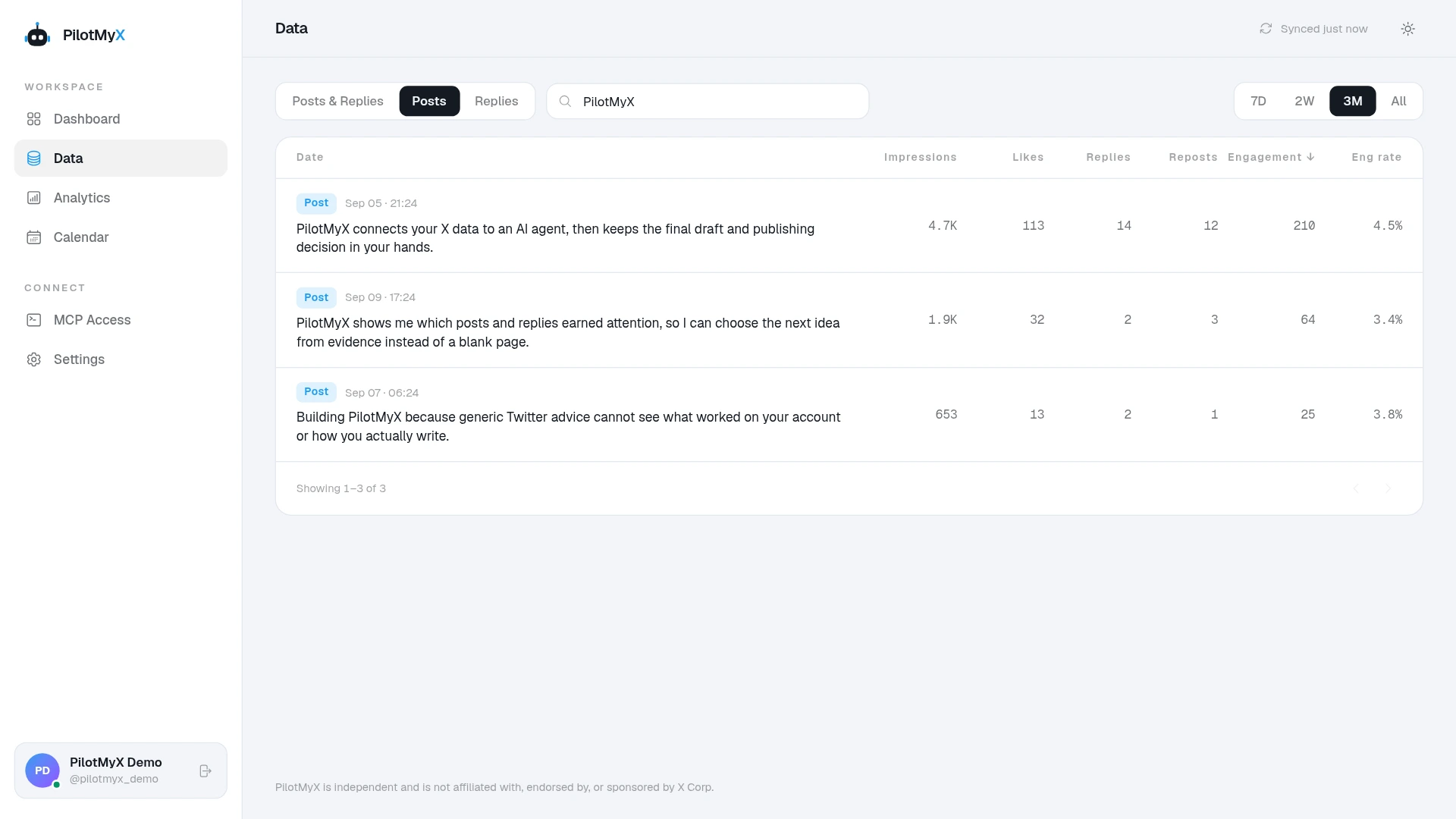
Reply where the right people are already talking
On a new account, an original post may reach few people. A thoughtful reply can put your perspective into a conversation that already has readers. That makes replies a useful place to spend more of your early effort, provided the conversation fits the audience you want.
Don't treat this as a quota. Look for a question you can actually answer, an experience you can add, or a point you can explain with an example. Read the post and the other replies first. If you have nothing specific to contribute, move on.
A reply such as “Great insight!” gives a stranger little reason to check who wrote it. Suppose someone asks why visitors abandon a signup page. A useful answer could be:
Look at the moment you ask them to connect an account. Can a visitor tell what they'll get afterward? If not, try showing the next screen before asking for access. Then check whether people still stop at that step.
That's an illustrative answer, not a template to paste into other conversations. Bring your own experience to the discussion, and don't claim an outcome you haven't measured.
X says replies can appear to relevant people in their timelines and that replies within conversations are ranked rather than always shown chronologically. Some may be treated as probable spam. Its rules also warn against duplicative, unsolicited replies across accounts. In other words, a reply is an opportunity to take part in a conversation, not an automatic distribution hack. See X's reply guide and account behavior guidance.
Give a profile visitor something to follow
Replies can explain why someone found you. Your own posts help explain why they should stay.
Write about the same problems you discuss in replies. If you repeatedly answer the same question, turn your best explanation into a standalone post with enough context to make sense on its own. Show how you think, what you've tried, or what you learned. Publish on a schedule you can keep; disappearing for weeks and then posting ten times in a day makes it harder for a visitor to understand what to expect.
For example, a founder who often replies to questions about onboarding could publish a post showing one screen that confused new users, what changed, and what remains uncertain. That is more informative than a generic “five growth tips” post. It also gives the next person who visits the profile a reason to follow for future work.
You don't need to choose between posts and replies. The posts-versus-replies guide explains what each can do. If consistency is the problem, the Twitter posting frequency guide helps you set a pace you can sustain.
Check whether attention is becoming interest
After a couple of weeks, compare a complete, equal period of posts and replies. Start with how many you published, which topics drew attention, and whether people clicked through to your profile. Don't judge by one big reply or total impressions alone.
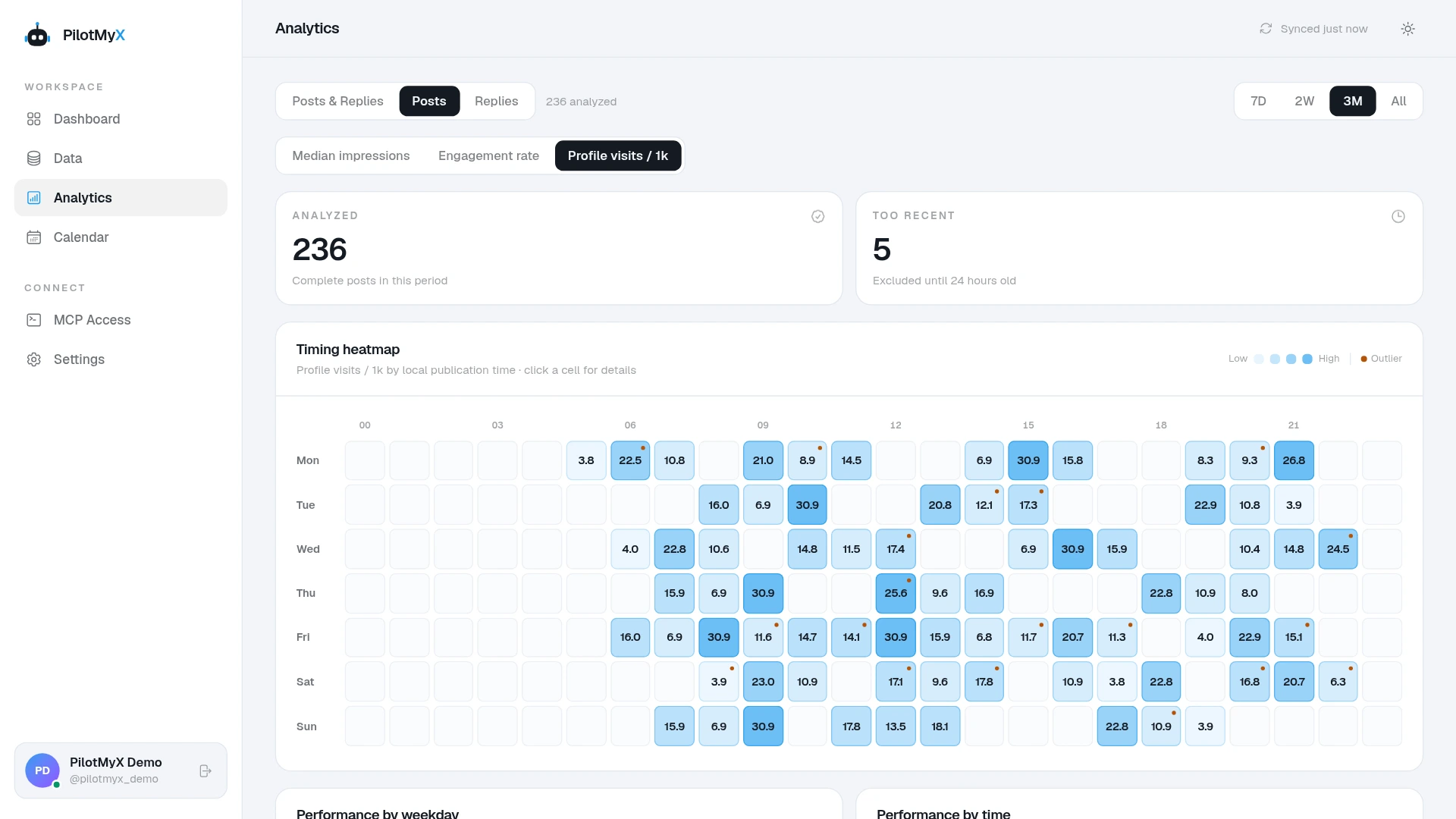
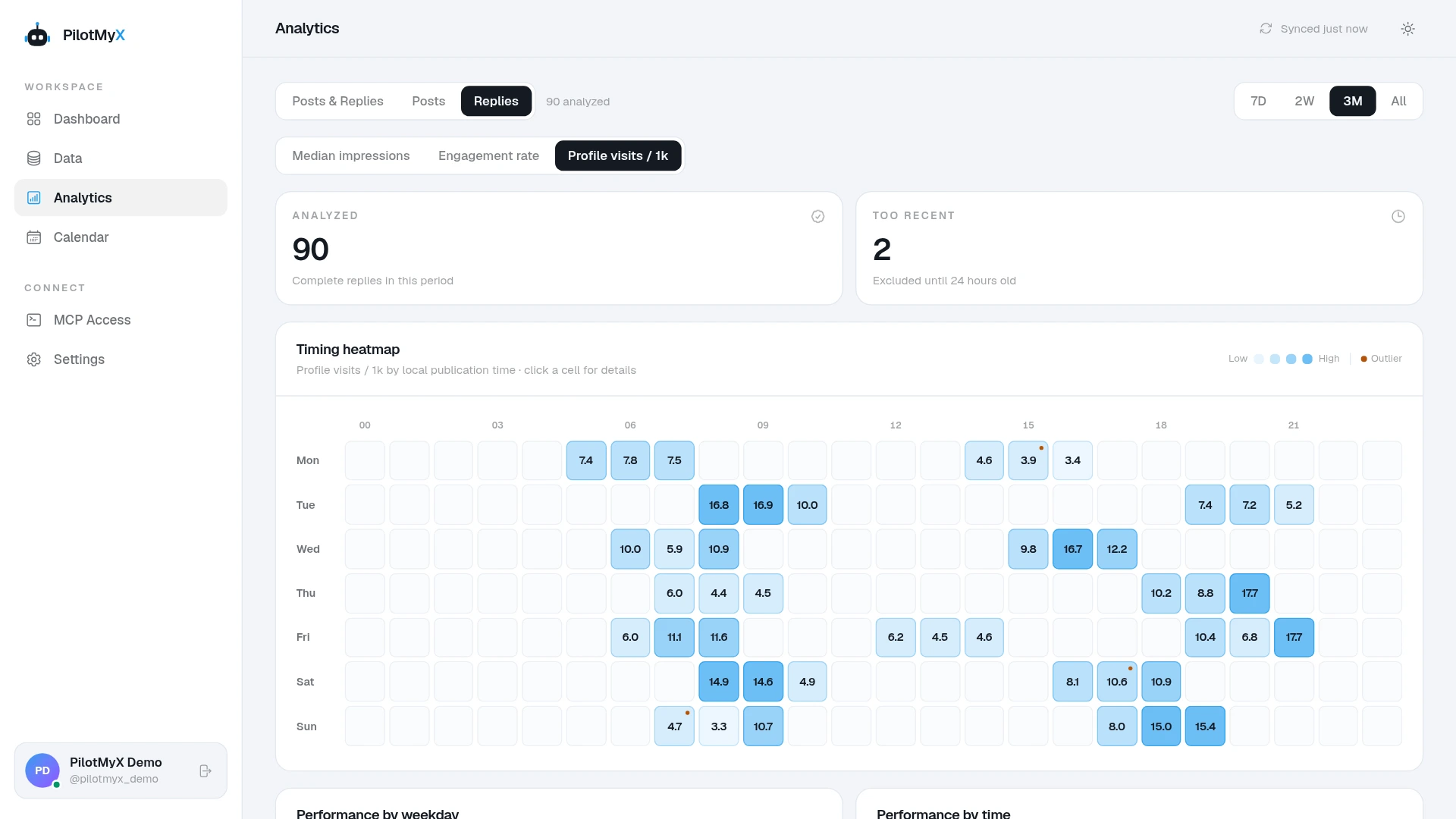
PilotMyX lets you inspect your original posts and replies separately. Look for recurring topics and conversations that bring relevant profile interest, then read the actual content behind the numbers. X defines an impression as an appearance on a screen, not a unique person; its metrics documentation also distinguishes impressions from profile clicks. Read X's metrics definitions.
You can record your follower count at the start and end of the review period, but don't assign every new follow to one reply, post, or profile change. Those events overlap, and the post metrics alone cannot prove what caused someone to follow. Try one change at a time: a clearer bio, a different pin, a better-matched set of conversations, or posts on a more consistent topic.
If you use an AI agent with PilotMyX, give it your audience and profile text rather than asking it to guess what your account is about:
I want to grow an X/Twitter account about [topic] for [specific audience].
My current bio: [paste bio]. My pinned post: [paste text or URL].

Use the last 14 complete days of my PilotMyX data. Compare my
original posts and replies separately: volume, typical impressions,
available profile clicks, and topics. State the date range and missing
metrics. Read the strongest and weakest examples in context; don't
infer follows or sales from impressions.

Suggest three relevant conversations or questions I should look for,
two original post ideas grounded in my actual work, and one concrete
improvement to my bio or pinned post. Explain why each suggestion fits
the audience I gave you. Ask me for missing facts. Don't publish or
schedule anything yet.
The first goal isn't a follower count pulled from a growth playbook. It's making the path from “I liked that answer” to “I want to hear more from this person” easy to understand. Replies can start that path. Your posts and profile have to finish the introduction.
Use your own account