X/Twitter analytics
Stop staring at numbers that never change your next move
A big impression count can feel good and still leave you with the same question: what should I do next? PilotMyX helps you find repeatable patterns across your account, plan the next test, and keep it on the calendar.
On this page
You have the numbers. You still do not have the answer.
X/Twitter gives you impressions, likes, replies, bookmarks, and profile visits. The hard part starts after you see them.
Was the topic strong, or did one large account happen to amplify it? Did the opening stop people, or did the conversation underneath carry the reach? Is the account improving, or did one unusual day pull the average upward?
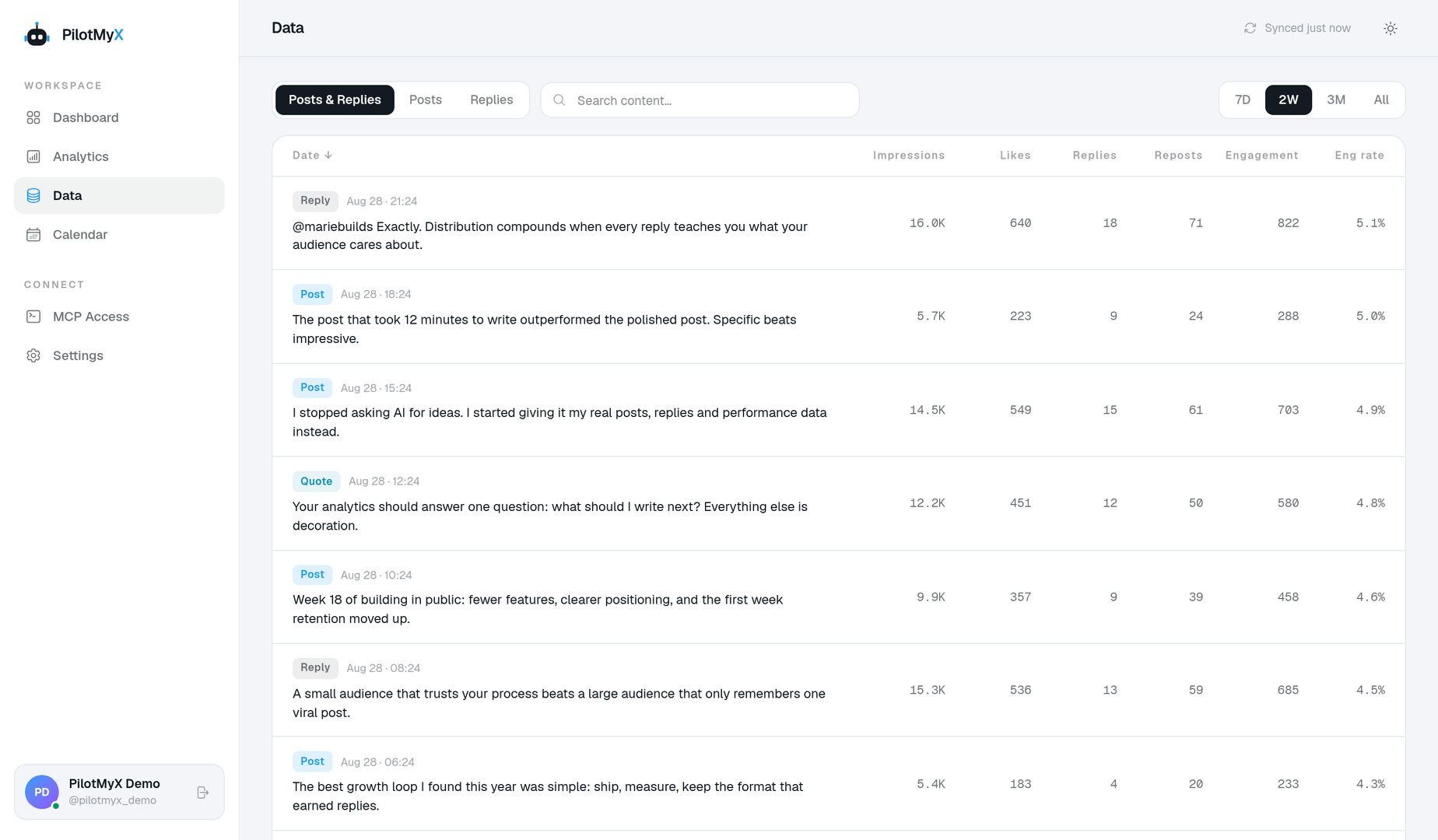
PilotMyX gives you a way to work through those questions without jumping from one post to another and guessing. You can compare a period, inspect the posts and replies behind the totals, and decide what deserves another test.
Find the pattern before you repeat the outlier
One viral post can make a month look healthy. It can also send your strategy in the wrong direction.
Start with the distribution before you trust the total:
- compare the current period with the previous one;
- separate posts from the replies you wrote when the distinction matters;
- rank content by impressions, engagement, profile visits, bookmarks, or clicks;
- check whether the result came from several pieces or one unusual spike;
- read the actual writing behind the number before naming a pattern.
That last step matters. Analytics can show an association. They cannot prove that one word, time slot, or format caused the result.
Turn the finding into a publishing decision
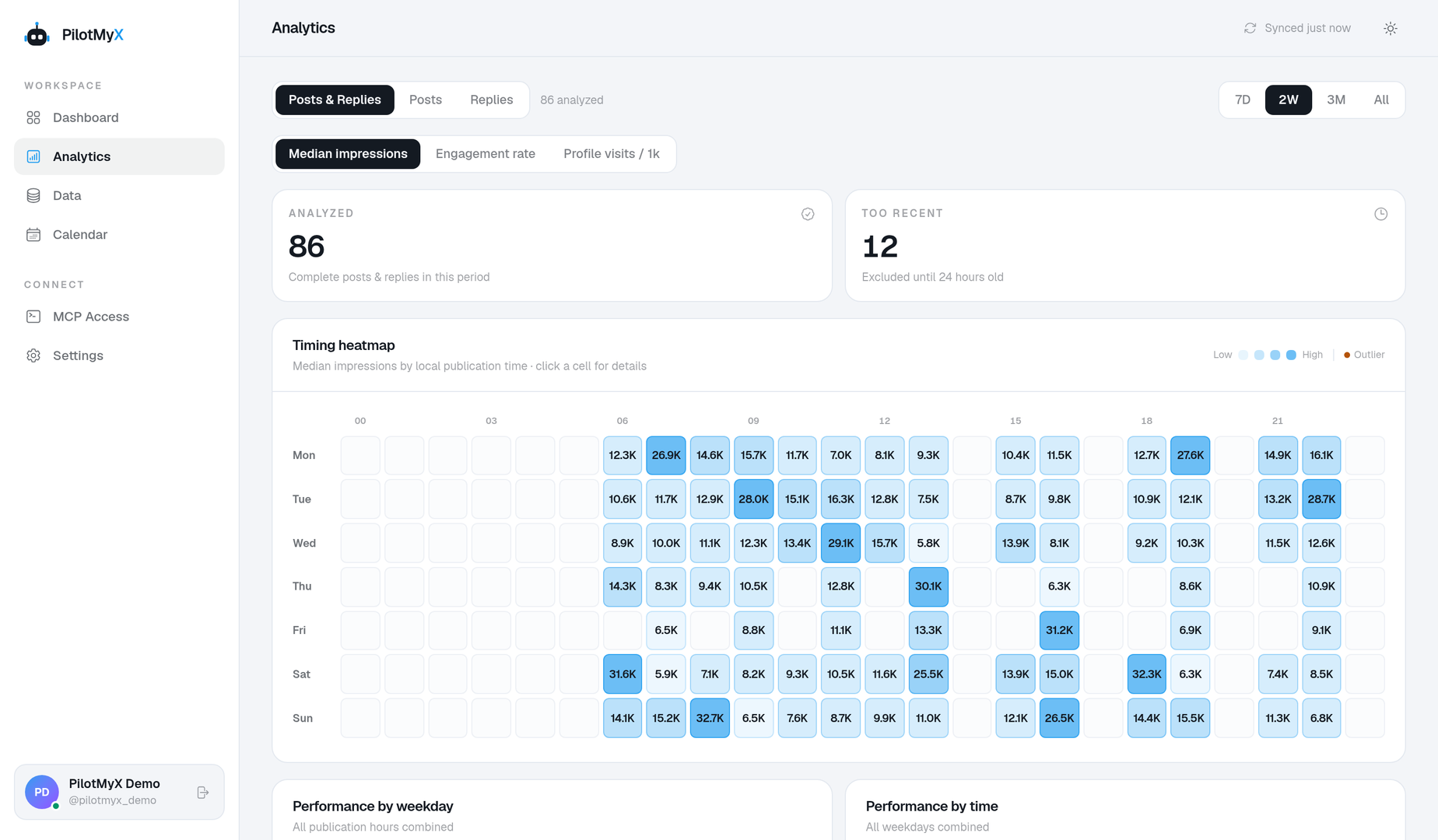
The point is not to produce a prettier report. It is to leave with a decision you can use.
You might learn that your strongest reach came from a topic that attracts the wrong audience. You might find that a modest post drove more profile visits than a viral one. You might notice that your most natural writing lives in conversations, then use that voice in the next original post.
Once the next test is clear, draft it, place it in the calendar, and choose when it should go live. The analysis and the schedule stay in the same workflow, so the insight does not disappear into a notes file.
Use posts and replies without mixing up what they mean
A reply can refer to three different things in an analytics discussion:
- a reply another person left under your post;
- the
reply_countmetric attached to a post; - a reply you wrote from your own account.
PilotMyX keeps your original posts and the replies you wrote available as separate content types. You can study each group on its own or combine them for an account-level view. That makes it easier to answer practical questions such as:
- Which conversations brought people to my profile?
- Does most of my visibility come from original posts or the replies I write?
- Which topics work in both formats?
- Is one debate distorting the whole period?
Read the analytics methodology for the exact definitions, date windows, and limits used in these comparisons.
Ask your agent with the account context attached
Copying five successful posts into an AI chat removes the losing examples, the timing, the metrics, and most of your conversational voice. That is why the answer often sounds plausible but generic.
With MCP, a compatible agent can inspect the authorized PilotMyX data before it suggests a direction. It can compare periods, inspect representative examples, and draft from the evidence you choose to keep. MCP is useful here because it carries context into the workflow. The analytics still come first.
Who PilotMyX is for
PilotMyX fits creators, founders, and independent operators who use X/Twitter for distribution and want a tighter loop between publishing, learning, and planning.
It is especially useful when you:
- publish often enough that memory is no longer a reliable analytics system;
- spend time in replies as well as original posts;
- want to schedule the next test instead of collecting more disconnected ideas;
- already use an AI agent and want it to work from your real account history.
If you only need a free view count for one recent post, the native X interface may already be enough. If you need to understand the account and decide what to try next, connect the history and start with one question.
A useful first analysis
Do not begin with “How do I grow?” It is too broad to produce a useful answer.
Try this instead:
- Pick the last 30 days.
- Compare posts and replies separately.
- Find the three largest sources of impressions and profile visits.
- Check how much of each total they represent.
- Read those items beside three typical results.
- Write one pattern worth retesting and one outlier you will not chase.
- Schedule a post that tests the pattern without copying the original.
That is a small loop, but it ends with a real decision. Run it again after the next period and the account starts teaching you something more useful than “post more.”
Use your own account