Find ideas worth developing.
Look back at the topics, opinions and conversations that got a response. Use them to choose a follow-up instead of facing a blank page every time.
Know what to post next. See which posts get attention, build on your strongest ideas, and keep your next posts ready. Connect your AI agent through MCP to analyze your results, draft in your voice, and schedule your posts.
7-day free trial · Cancel anytime
Try it yourself. Click a post to start the loop.
Notes from my last photo walk.
Choose an idea with your agent.
Better portraits at home? Turn off the ceiling light and move closer to a window.
Replies
The conversation gives your agent something to build on.
Select a post to explore the growth loop.
Review the posts that got a response, choose an angle to explore, and put your next post on the calendar.
Sound familiar?
Look back at the topics, opinions and conversations that got a response. Use them to choose a follow-up instead of facing a blank page every time.
Give your agent examples from your own account so it can help you develop your ideas in your voice.
Save ideas when they come, prepare your posts together, and schedule them around a routine you can keep.
How it works
1
Sign in with X and start your trial. PilotMyX imports the history included in your plan so you can begin with posts you have already published.
2
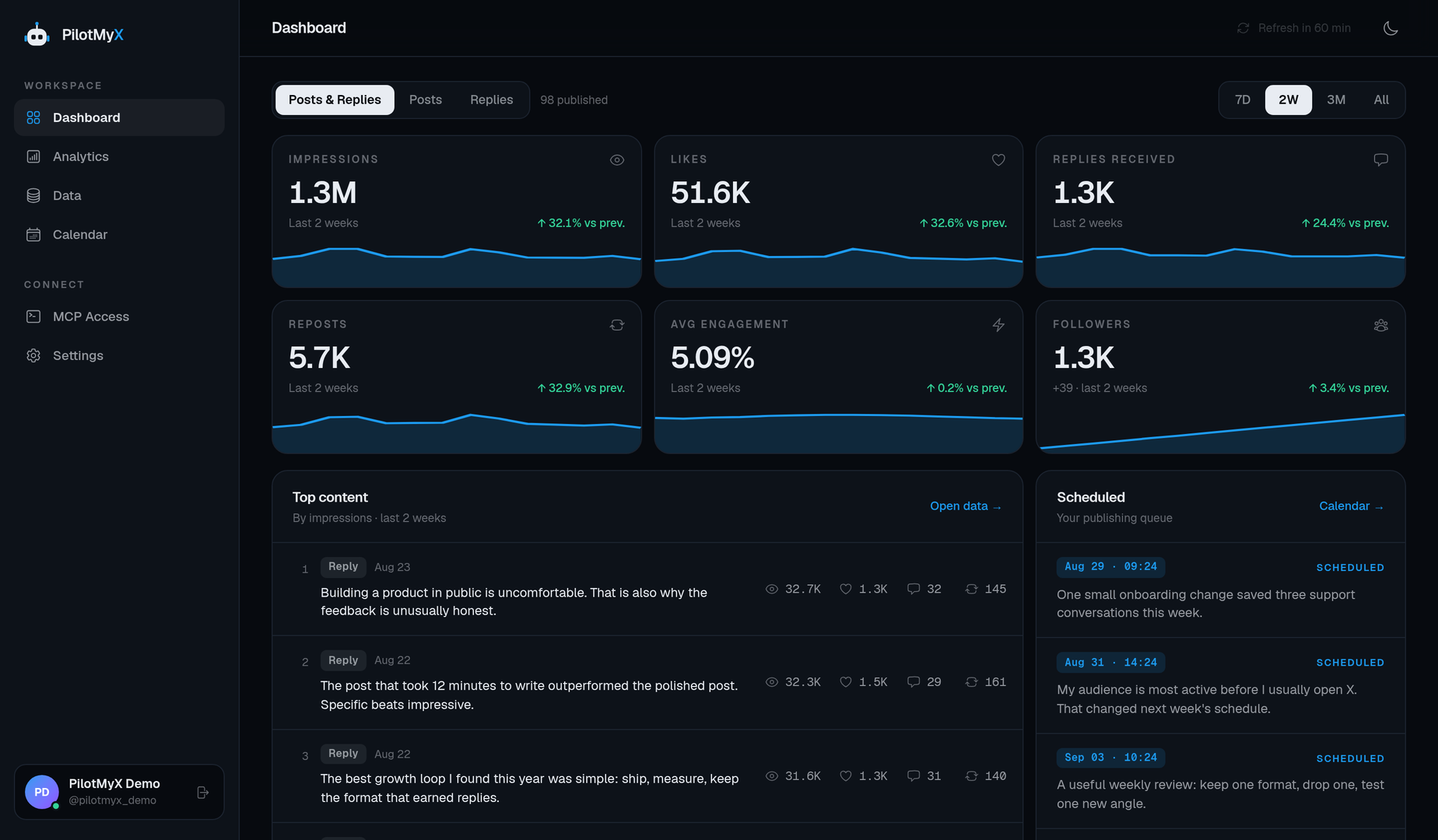
Review reach, engagement and profile visits. Compare examples, revisit promising ideas and choose an angle or format to test.
Posts 218K impressions
Replies 425K impressions
3
Write your post, schedule it, and compare the results after publishing. Use what you learn to plan the next one.
Your account
posts · replies · results
PilotMyX
insights · calendar
Your workflow
dashboard · MCP agents
X/Twitter growth
Analytics
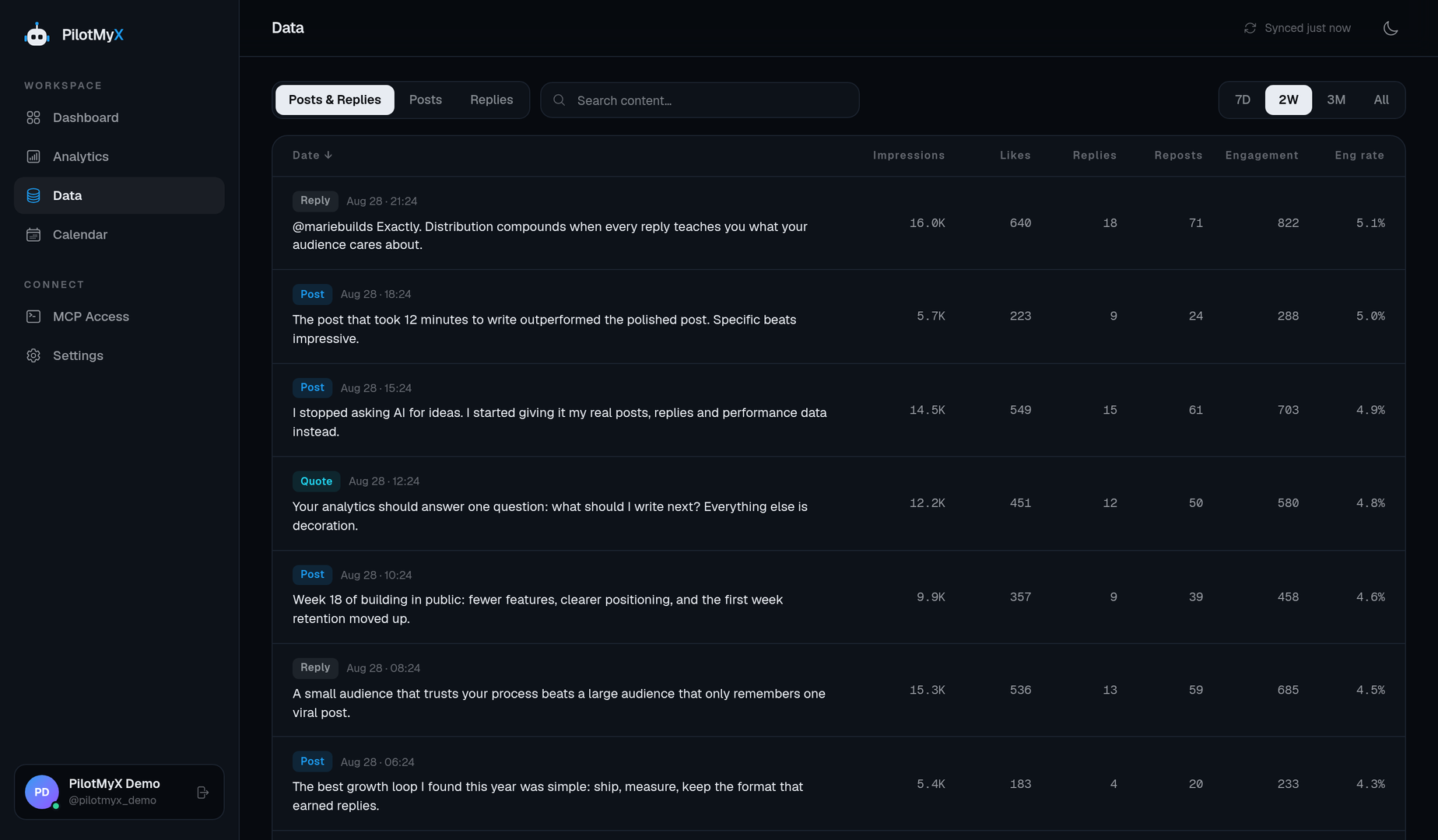
Look beyond a single breakout post. Compare your results across a period, read the posts behind the numbers, and spot ideas that consistently get a response.
→Compare reach, engagement and profile visits.
→Review your original posts and, with Basic or Growth, your replies.
→Compare periods and check whether one outlier is skewing the result.
Scheduling
Keep ideas as drafts, prepare posts when you have time, and see what is coming up in your calendar. Edit, reschedule or cancel before a post goes live.
Explore the X/Twitter scheduler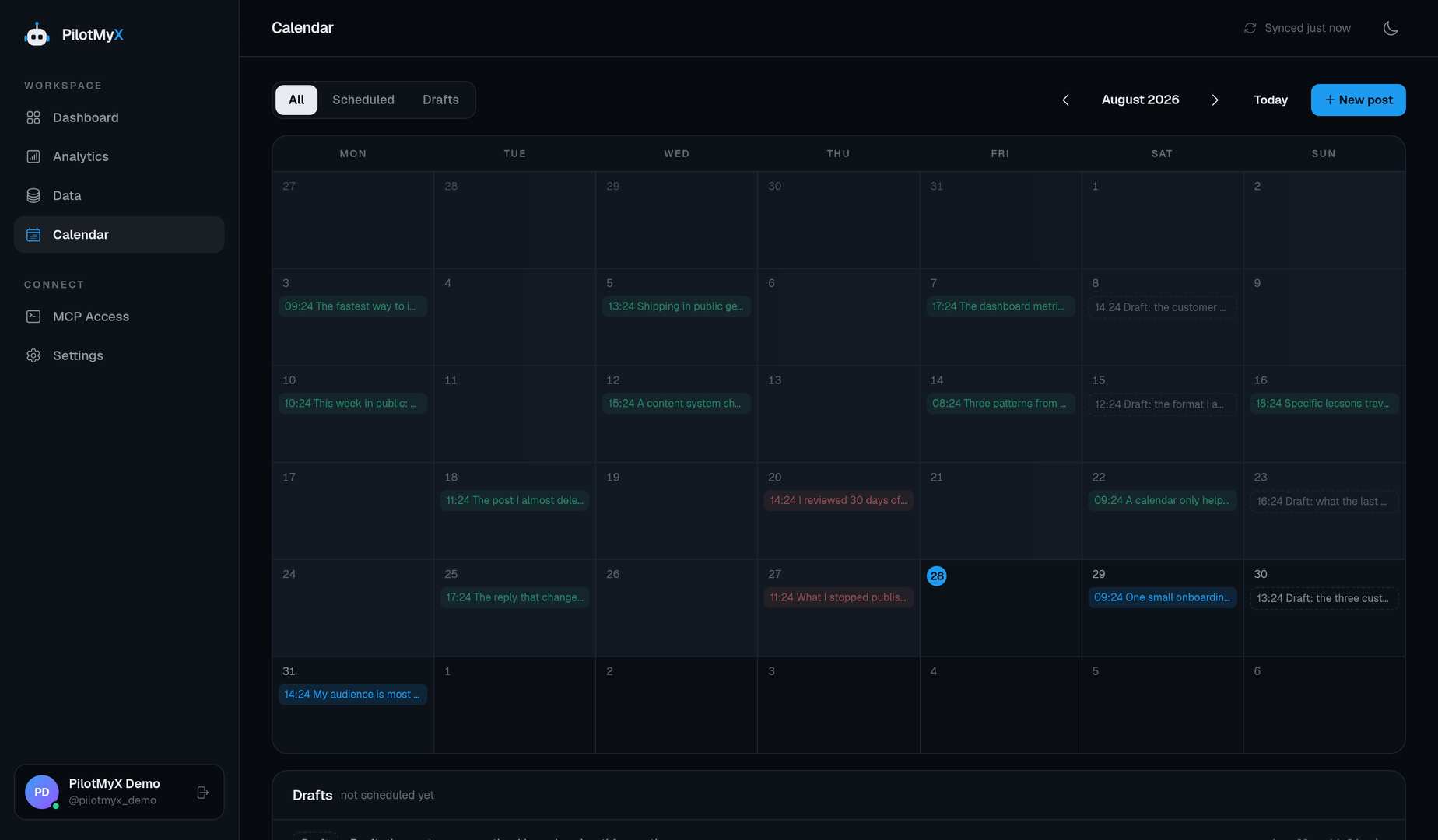
Timing analytics
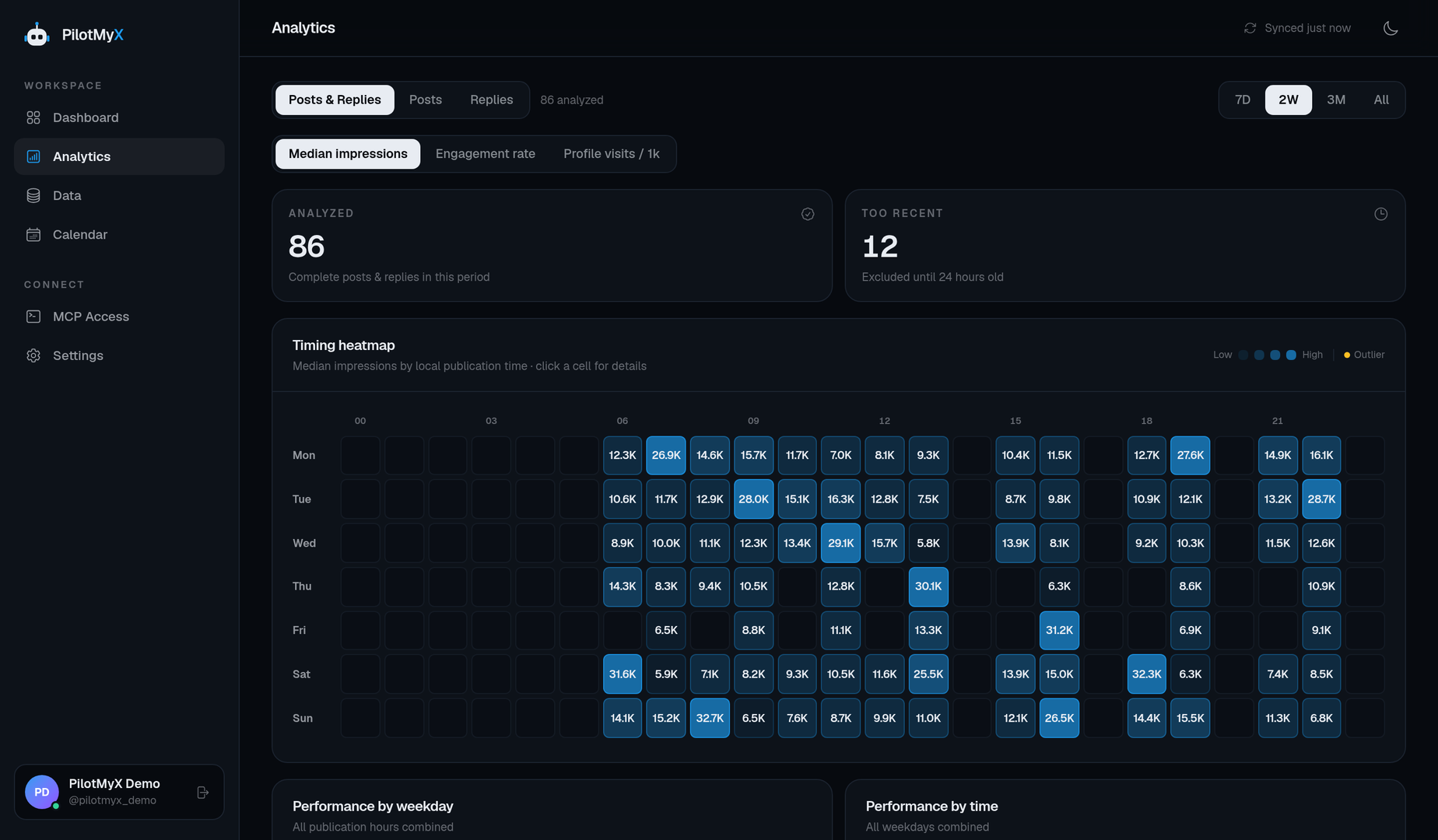
Use the performance of your own posts to choose days and hours to try. Check how much history supports each pattern, then compare the response as you keep publishing.
AI & MCP
Connect a compatible AI agent to your PilotMyX account through MCP. It can read your posts and results, help you choose your next ideas, and draft in your voice. With publishing access, it can also schedule the posts you choose.
Review my last 30 days. Read the posts that earned the most profile visits and suggest three ideas I could follow up on. Draft them using my own writing as a reference. Wait for my approval before scheduling.
Keep the research, drafting and scheduling in one conversation, then review your queue in PilotMyX.
Connect your AI agent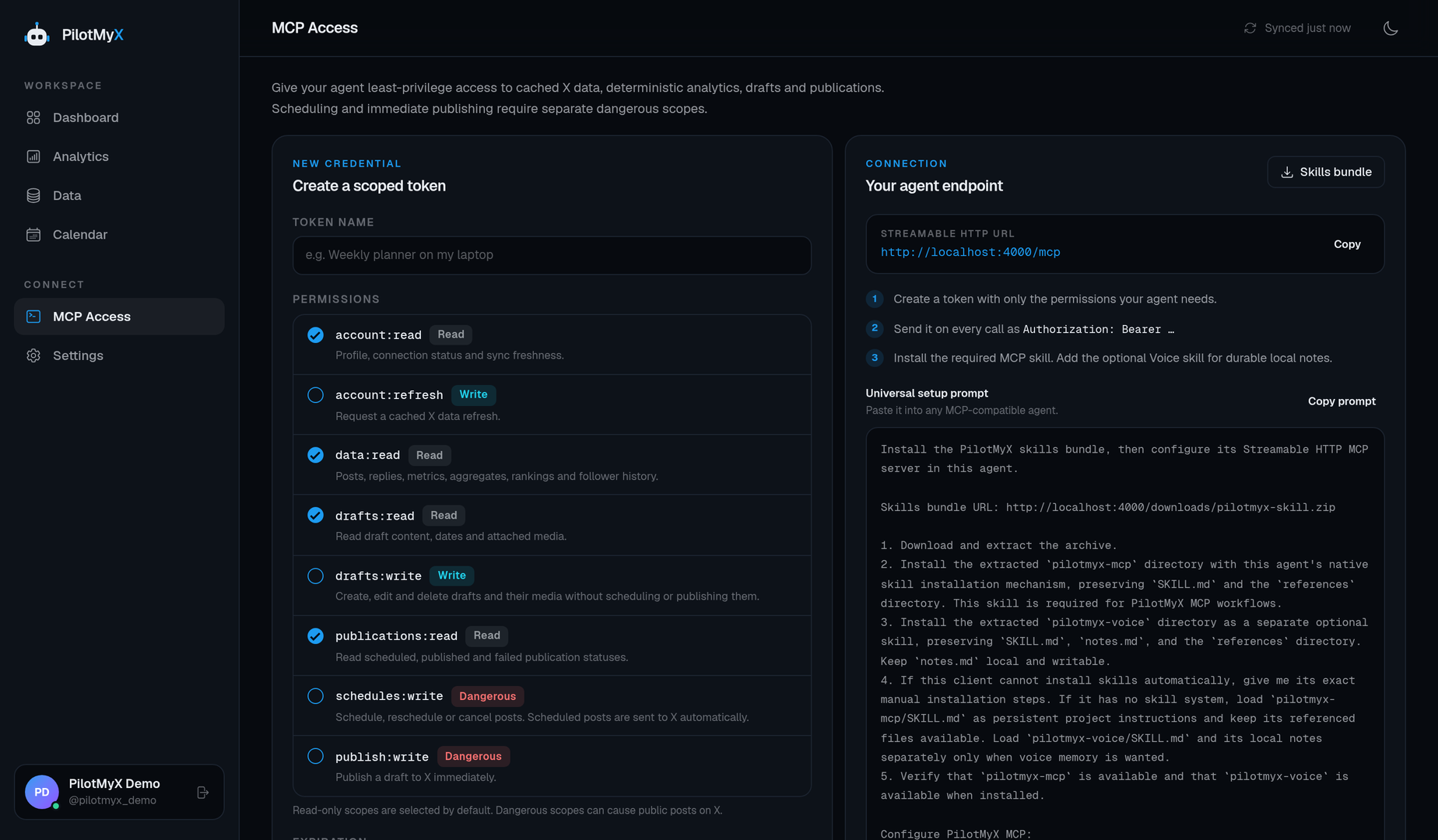
Pricing
Every plan includes post analytics, scheduling and MCP access. Basic and Growth add reply analysis, more imported history and higher publishing limits.
For reviewing your posts and keeping a regular publishing schedule.
$9.99 /mo
Billed monthly. Plus applicable taxes.
$0.00 due today, cancel anytime
For learning from both your posts and your replies.
$39.99 /mo
Billed monthly. Plus applicable taxes.
$0.00 due today, cancel anytime
For a larger publishing schedule and more account history.
$99.99 /mo
Billed monthly. Plus applicable taxes.
$0.00 due today, cancel anytime
FAQ
Connect your X account and start building on what you have already published.
Start my 7-day trial7-day free trial · Cancel anytime