X/Twitter scheduling
Your best post idea should not die in a notes app
The problem is rarely a total lack of ideas. It is the gap between spotting a useful pattern, writing a post, and remembering to publish it at the right time. PilotMyX closes that gap.
On this page
Consistency breaks in the handoff
You notice a topic working while checking analytics. The idea goes into a note. The draft lands in another app. The date lives in your head. A few days later, the post is still not published and the reason you wanted to test it is gone.
PilotMyX keeps the decision, the draft, and the calendar close together. You can prepare a post, add images and alt text, choose a date, and review the publishing status before a useful idea gets lost between tools.
Schedule from evidence, not from an empty calendar
A calendar solves the timing problem. It does not solve the “what deserves a slot?” problem by itself.
PilotMyX connects scheduling to your account analytics so you can plan around a clear hypothesis:
- revisit a topic that repeatedly brought profile visits;
- test a stronger opening on a useful idea that had weak reach;
- turn a natural line from a conversation into an original post;
- avoid filling the week with five versions of the same idea;
- compare the result with the period that led to the decision.
The feature is scheduling. The benefit is not having to invent your strategy from scratch every Monday.
See the week before it goes live
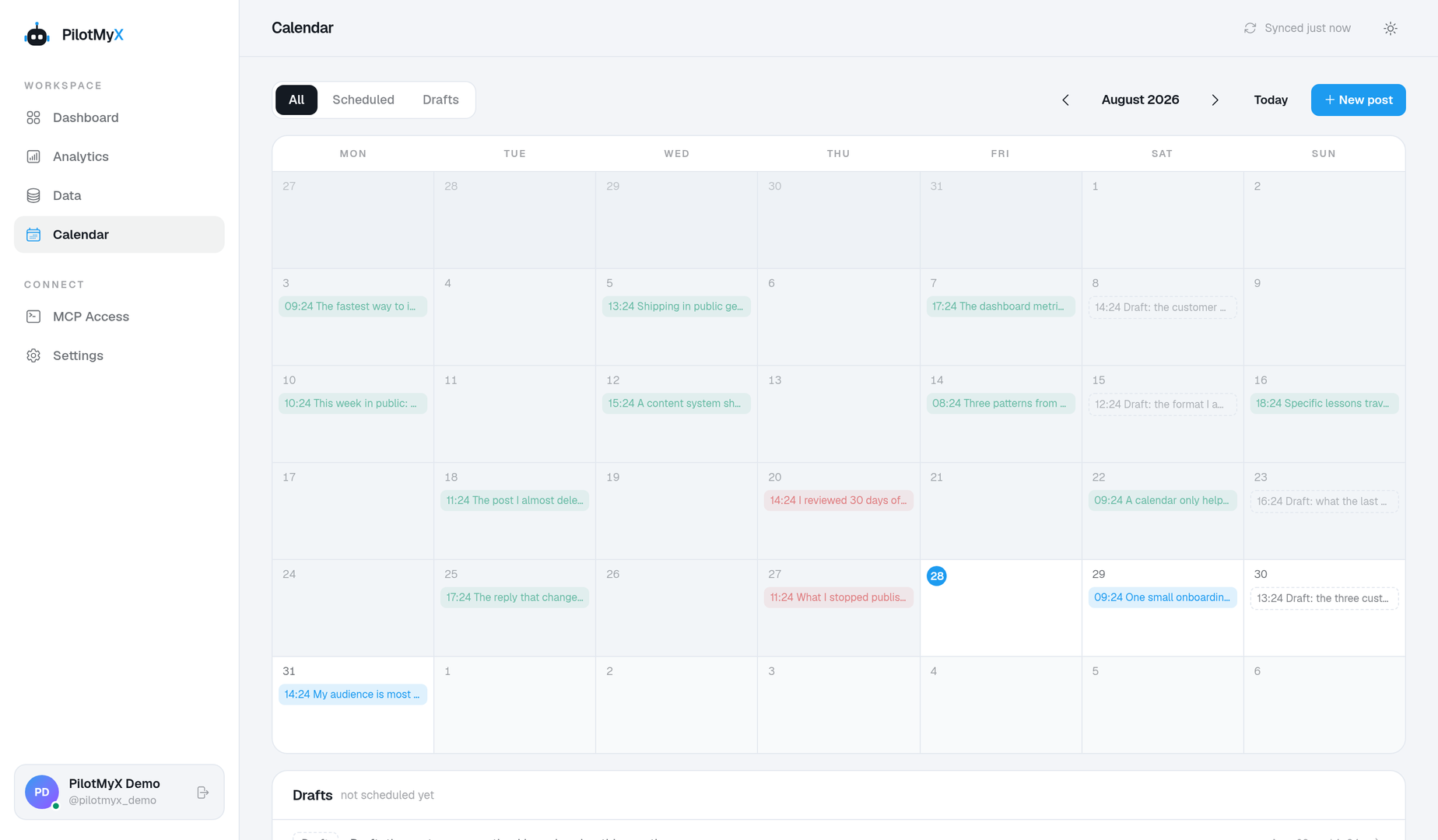
The calendar gives each draft a visible place. That makes simple problems obvious before your audience sees them.
You can spot a week overloaded with product updates, move a draft that is too close to a similar post, or leave space for something timely. You can also edit, reschedule, cancel, or publish a prepared post when the plan changes.
This is useful for solo creators because there is no approval meeting to force a review. The calendar becomes the moment where you check the mix and make the final call.
Keep media and context attached to the draft
A scheduled post is more than a sentence and a timestamp. PilotMyX keeps its ordered images, alt text, quoted-post URL when used, and publication state with the draft.
That means fewer last-minute searches through a downloads folder and fewer half-finished ideas that looked complete in a text document. You see what is actually ready to publish.
Plan in the dashboard or with your agent
If you prefer the visual workflow, use the PilotMyX calendar directly. If your work already happens in Codex, Claude, Cursor, or another MCP client, give that agent the narrow permissions it needs.
The useful workflow is simple:
- Inspect the account evidence behind an idea.
- Prepare a draft in your voice.
- Review the text, media, and date.
- Put it on the calendar.
- Check the result after publication.
MCP lets your agent move from account evidence to an approved scheduled post, but you still decide what goes live and when.
A scheduler for one X/Twitter account
PilotMyX is designed as the analytics and publishing layer for a connected X account. It is a strong fit when you care about learning from that account as much as filling its queue.
Choose a broad social suite if your main job is publishing the same campaign across many networks or managing a large approval team. Choose PilotMyX when your daily question is closer to: “What did my X account teach me, and how do I turn that into next week’s posts?”
Build a seven-day plan in fifteen minutes
Start small:
- Pick one pattern from your recent analytics.
- Write two distinct posts that test it from different angles.
- Add one product or project update your audience needs.
- Leave open space for a timely observation.
- Place the prepared posts on separate days.
- Read the calendar once as a visitor to your profile would.
You do not need a month of generic prompts. You need a week you understand, can publish, and can learn from.
Use your own account