Plan posts on X/Twitter
How to schedule Twitter posts with AI without losing control
Seven scheduled drafts won't help if they all sound alike or make claims you can't verify. Find one useful idea in your account data, then approve the words and timing.
A full calendar can still be full of posts you would never write
You ask an AI agent to plan next week's Twitter posts. It produces seven polished updates, adds a few claims you can't verify, and gives every post the same cheerful ending. Scheduling them would save time today and leave you explaining them tomorrow.
Use the agent to read your account history, find an idea to revisit, and prepare a draft. You supply the new facts and decide whether the words are yours. Only then does the post get a date. That's how to schedule Twitter posts with AI and still recognize what goes out under your name.
Pick the idea before the time slot
Start with a recent, complete period of your own posts. Look at what you wrote, what readers responded to, and whether the response mattered to your goal. If you're trying to bring the right people to your profile, available profile clicks are more relevant than likes alone. If you want visits to a linked guide, inspect the available URL clicks as well.
An impression is one appearance on a screen, not one person. X also separates public impressions from private click metrics, which may be unavailable for older posts. Its metrics documentation sets out those definitions and the availability limit. Keep a missing click count separate from zero.
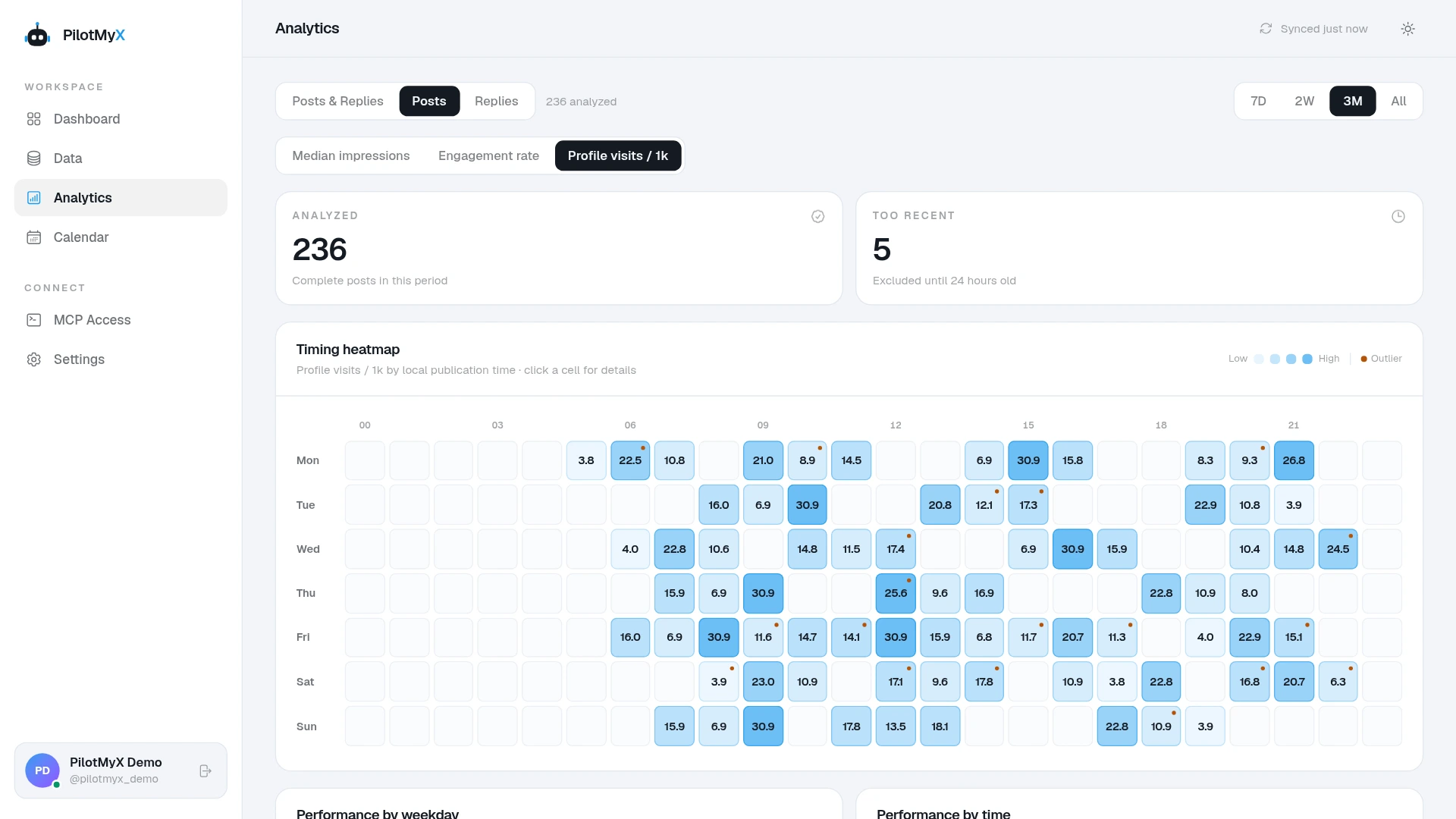
In PilotMyX, compare original posts with original posts before selecting a topic. Read the strongest and weakest examples rather than handing the agent the top-ranked item and asking for a copy. Your replies can suggest questions worth explaining in an original post, but read them in their conversation context. A strong reply is not automatically a standalone post.
Pick one question or observation you could explain with a real example. If your best result came from a one-off announcement, do not turn it into a weekly format without a reason to believe the subject will still matter.
Give the agent facts it cannot find in analytics
Your account history can show how you phrased a past idea. It cannot tell the agent what happened in your business yesterday or which result you are comfortable making public. Supply those facts before it drafts.
For example, suppose you changed an onboarding screen after watching people stop at one step. A usable brief would name the screen, what changed, and what you actually observed. If you have not measured the effect yet, say that. The agent can write a post about the change; it cannot turn the observation into a conversion uplift.
If you keep rejecting the same tone, add a few posts you would still publish as voice examples. The guide to writing Twitter posts with AI in your voice covers that part in detail. Today the task is narrower: move one approved idea into the calendar.
Ask for a proposal, not an immediate schedule
This prompt keeps the first pass read-only. Replace the bracketed fields with your own situation; do not leave the agent to guess your audience or what happened this week.
Help me plan two original X/Twitter posts for [audience] this week.
My goal: [profile interest, useful conversations, site visits, or another goal].
Current work or news I can discuss: [confirmed facts].
Claims I cannot make: [unknown results, private information, or none].
My available posting days and timezone: [days and IANA timezone].

Use my connected PilotMyX account for the last 14 complete days.
State the exact date range, data freshness, and missing metrics.
Compare original posts with original posts. You may inspect replies
for questions I have answered, but keep their results separate.
Read the actual text behind relevant examples; don't choose an idea
from impressions alone or claim a topic caused a result.

Suggest at most two ideas with one sentence explaining the evidence
for each. Draft only if you have the facts needed. For each draft,
show the exact text, intended reader, any link or media, and a
proposed local date and time. Flag anything I need to verify.

Do not create a draft in PilotMyX, schedule, or publish yet.
Wait for my approval of the exact content and time.
If the agent finds no idea supported by your recent activity, an empty calendar slot is better than a made-up lesson. Bring it a new fact from your work and ask it to help shape that instead. If your agent is not connected yet, the PilotMyX setup guide explains the first connection.
Review the post as it will actually appear
Read the proposed text without the agent's explanation beside it. A stranger won't see that explanation. Check the opening, every factual claim, the link destination, and whether you would say the opinion aloud. If an image is attached, check its order and alt text. If it quotes another post, open the target and make sure the added comment still makes sense.
Then read the proposed date in your own timezone. A post about an event tomorrow should not sit in next week's queue. Check what is already scheduled nearby so two versions of the same point do not land back to back. The posting frequency guide can help you choose a pace you can maintain; no time slot guarantees reach.
X supports saving drafts and scheduling posts from its composer, as its posting guide explains. Using an agent does not change who is responsible for the content. X's automation rules warn against duplicative or spammy automated posts and say account owners are responsible for connected applications. That is another reason to read each draft before you put it in the queue.
Put the approved post on the calendar
Once the exact text, media, account, date, time, and timezone are settled, schedule the post in the PilotMyX calendar. You can also authorize an MCP-connected agent to do it. In PilotMyX, reading analytics, managing drafts, scheduling, and publishing have distinct permissions; give the agent only the access you want it to use.
When an agent performs the scheduling action, ask it to confirm the resolved time and status in PilotMyX afterward. Check the calendar yourself. A successful draft suggestion in chat is not a scheduled post, and a scheduled post is not yet a published one.
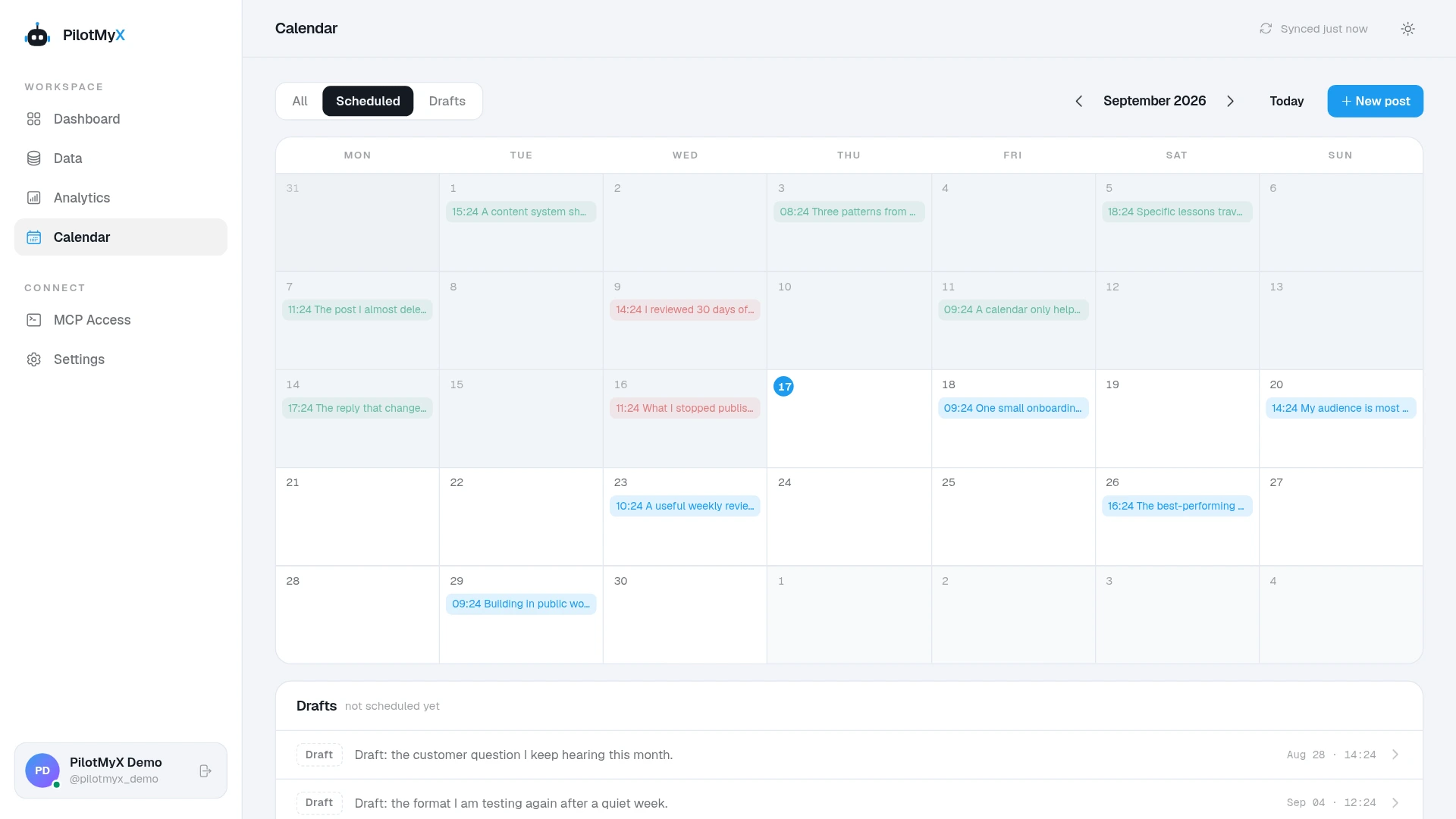
If plans change, edit or move the item while it is still eligible. If a publication attempt fails or the result is unclear, check both PilotMyX and your X profile before trying again. That prevents a blind retry from creating a duplicate. The PilotMyX scheduling guide describes the available draft and calendar actions.
Learn from the post, then plan the next one
After it goes live, check the publication status and compare its result with similar original posts. Note the date range, what you tested, and which metrics were available. If the topic attracted relevant profile interest, that may be worth another angle. If it only gained broad impressions, ask whether the audience or the subject matched your goal.
One post cannot prove that the agent wrote better copy, that the chosen hour is best, or that scheduling caused growth. Keep the factual brief and your edit notes beside the result. Next time, you can tell the agent exactly what to repeat, what to change, and which claim it got wrong.
Use your own account