Stop optimizing X Ads from the wrong number
How to measure X Ads results with your AI agent
Cheap clicks can hide a slow page, broken tracking, or visitors who never become customers. Give your agent a measurement map that keeps every number tied to its source.
On this page
Cheap clicks can still be expensive
Your X Ads dashboard shows clicks at a reasonable price. Your website shows fewer visits. Signups barely move. Which number should your AI agent optimize?
No single number can answer that.
To measure X Ads results with AI, connect three separate records: the post and account context, the campaign's delivery and spend, and the action completed on your site. Keep the source, date range, timezone, and attribution settings next to every number. Only recommend a change after the path between those records has been checked.
That gives the agent a useful job. It can find where the evidence stops instead of rewarding the cheapest metric in the first dashboard it reads.
Start with the action that pays for the campaign
A campaign objective tells X which result to optimize. Your business still needs its own definition of success.
For a software trial, the useful sequence might be:
- A person sees the ad.
- They click the link.
- The destination loads and your analytics records a visit.
- They complete signup.
- They reach the activation event that makes the trial useful.
Write down the final event before reviewing the campaign. "Website conversions" is too vague if your site records page views, button clicks, started forms, completed signups, and paid subscriptions under different names.
Use an event that represents a completed action. A click on "Create account" is not a signup when the form can still fail. A visit to a pricing page is not revenue. If activation matters more than account creation, keep both events and make the primary decision metric explicit.
X's campaign dashboard documentation says its "results" metric follows the selected campaign objective. For a website-traffic campaign, that result can be a link click. It does not automatically become the product outcome you care about.
Give every number one source and one question
The same campaign can look healthy or broken depending on which layer you read. Build the source map before asking an agent for conclusions.
| Number | Source of record | Question it can answer | Limit to preserve |
|---|---|---|---|
| Post text and available account metrics | PilotMyX | What did the account publish, how was the idea framed, and what account-side response is visible? | PilotMyX does not provide campaign spend, CPA, or website conversions |
| Impressions, campaign results, spend, and cost per result | X Ads | Did the campaign deliver and what did X record for its objective? | The result follows the campaign setup and X's counting rules |
| Landing-page visits and sessions | Website analytics | Did the destination load and get measured? | A session is not the same event as an X link click |
| Signup, activation, purchase, or qualified lead | Product or billing data | Did the visitor complete the business action? | Attribution may be incomplete and must use a stated window |
| Recommendation and next check | AI agent | Where does the evidence point, and what remains unknown? | The agent should not merge incompatible scopes or invent missing values |
The official X Ads MCP currently exposes account statistics through get_account_stats, along with campaigns, promoted posts, and their settings. The MCP API reference is the advertising source in this workflow. PilotMyX supplies the account-side post context. Your website or product database supplies the result after the click.
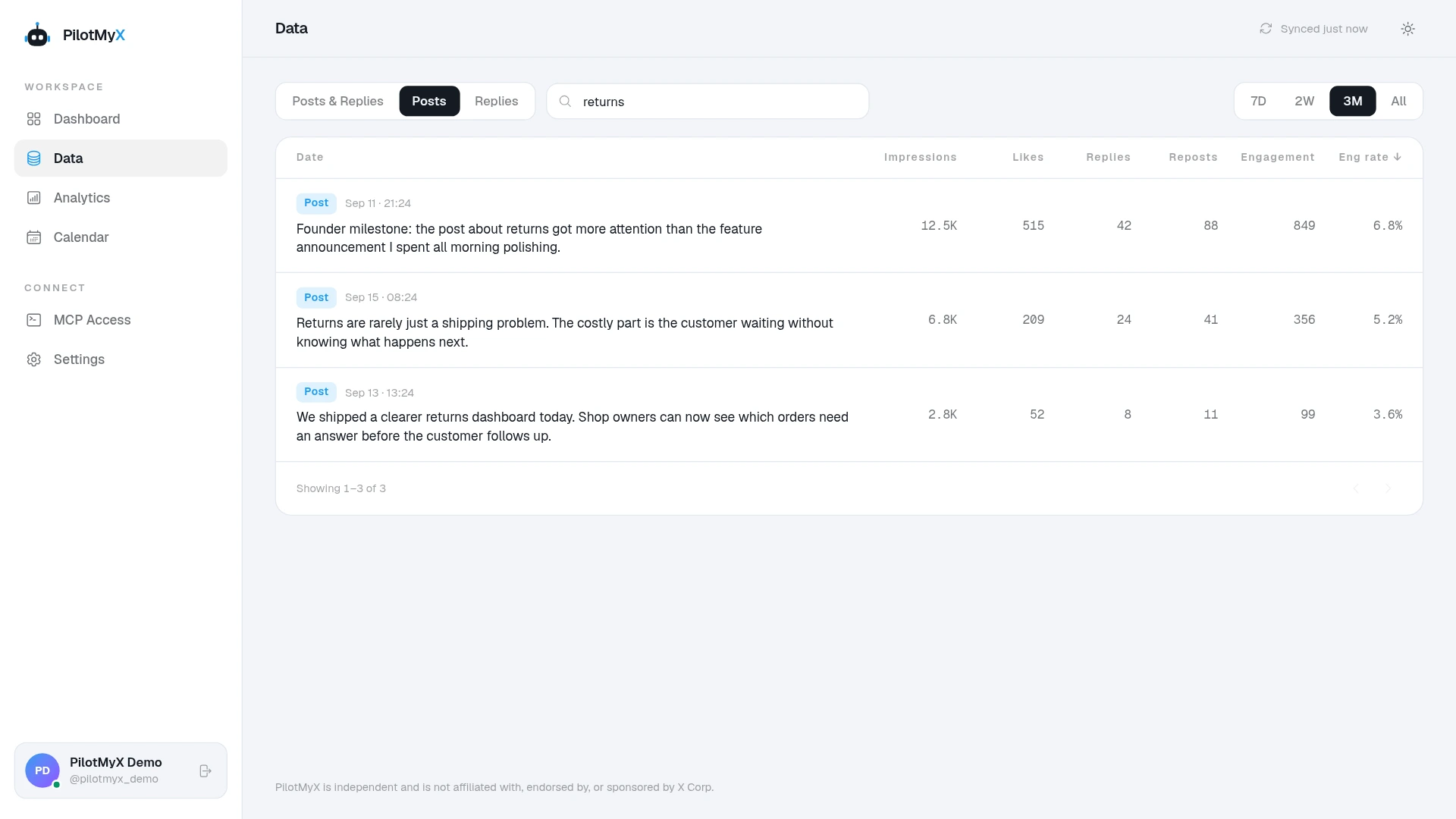
This separation prevents a common mistake: asking PilotMyX to calculate customer acquisition cost from post engagement. It does not have the campaign spend or your customer event. The agent can calculate CPA only after you give it compatible spend and conversion data for the same reviewed scope.
Verify conversion collection before judging the ad
An agent cannot reason around an event that never fires.
X documents two website conversion options: the X Pixel in the browser and the server-to-server Conversion API. Its conversion tracking guide also describes the Events Manager status and Recent Activity Log used to inspect received events and parameters.
Before reading performance:
- Open the exact ad destination on a phone and a desktop browser.
- Complete the intended action once with a test account.
- Confirm the website analytics event fires only after success.
- Check that X receives the intended conversion event and parameters.
- Record the test so it is not mistaken for a customer result.
- Confirm the campaign link preserves the destination and tracking labels through redirects.
An "Active" event status means X detected recent activity. It does not prove that every production conversion is accurate, deduplicated correctly, or attributable to this campaign. Inspect the event name, host, parameters, and the action that caused it.
If your website's own signup count and analytics event disagree, fix that boundary before changing the ad. A new audience cannot repair a conversion event attached to the wrong button.
A click, a visit, and a conversion are different events
X records a link click when someone clicks the link in the post. A website analytics tool records a visit only after enough of the destination loads for its collection code to run. Some people leave in between. Slow mobile connections, redirects, consent choices, blocking, and different counting rules can widen the gap.
X explains this distinction in its analytics discrepancy guide. The same page notes that reporting can settle on different timelines and that targeting breakdown rows can overlap.
Do not call every gap fraud. First check:
- Whether the final URL loads quickly on the devices and locations you target.
- Whether redirects retain the campaign parameters.
- Whether the site event fires after consent under the conditions you support.
- Whether both reports use the same timezone and complete date range.
- Whether one report counts clicks while the other counts users or sessions.
- Whether recent X results are still settling.
You can calculate a sessions-to-clicks ratio as a diagnostic, but do not label it a conversion rate. The numerator and denominator come from different systems with different rules. Its value is noticing a change that deserves investigation, not forcing both totals to reconcile.
Keep organic and promoted post results separate
A post that performs well after promotion does not prove it earned the same response organically.
X's post metrics documentation says public metrics on a promoted post combine organic and promoted activity. It exposes separate organic_metrics and promoted_metrics for eligible owned posts, but those private metric families are available only for posts created within the last 30 days and require user-context access.
PilotMyX currently collects the public and available non-public metrics used for account analysis. It does not provide a native organic-versus-promoted split. Do not subtract one PilotMyX total from an Ads report and call the remainder organic unless the fields, snapshot time, and definitions make that calculation valid.
Use one of these safer approaches:
- Save a verified account-side observation before promotion, then label it as a pre-promotion snapshot rather than a permanent organic total.
- Request the supported organic and promoted fields for an eligible recent owned post through an authorized X data source.
- Use campaign-level and promoted-post results from X Ads for the paid review.
- Mark the split unknown when the required history or fields are unavailable.
The X Ads CSV definitions make the source boundary explicit: campaign exports are for campaign data, while the Post Activity Dashboard is for organic post analysis. Keep that distinction even when an agent assembles both into one report.
Align the scope before calculating rates
Every row in the agent's report should state:
- Account and campaign IDs.
- Start and end timestamps, with timezone.
- Whether the period is complete.
- Campaign objective and primary business event.
- Attribution window when the source exposes it.
- Metric source and freshness.
- Whether the figure is campaign, ad-group, post, website-session, user, or conversion scoped.
Only calculate a rate when the numerator and denominator belong together.
| Calculation | Valid input pair | What it helps you read |
|---|---|---|
| Link click rate | X link clicks / X impressions for the same advertising scope | Whether the delivered ad generated link-click activity |
| X cost per result | X spend / X objective results for the same scope | What X charged per configured campaign result |
| Website signup rate | Completed signups / measured website sessions for the same tagged traffic scope | How often measured visits completed signup |
| Activation rate | Activated accounts / completed signups from the same cohort | Whether acquired signups reached the product outcome |
| Customer acquisition cost | Compatible campaign spend / attributed new customers | The cost of the defined customer outcome under the stated attribution method |
Avoid lifetime post totals against a seven-day spend window. Avoid today's incomplete campaign results against yesterday's finalized product events. Do not add targeting breakdowns when people can appear in more than one row.
When a source does not expose the necessary scope, leave the rate blank and explain why. A missing calculation is better than a precise-looking error.
Ask the agent to find the broken handoff
The report should follow the path to the business event and stop where the evidence stops.
| Observation | First question for the agent | Possible next check |
|---|---|---|
| Little or no delivery | Is the campaign eligible, active, funded, and inside its dates? | Read status, approvals, bids, budget, and audience availability |
| Impressions but few link clicks | Does the message fit the delivered audience and destination? | Review the creative, audience hypothesis, and campaign objective |
| X clicks but few measured visits | Does the page load and does tracking survive the handoff? | Test mobile speed, redirects, consent, and analytics collection |
| Visits but few completed signups | Does the page fulfill the ad's promise and does the form work? | Review the landing page and complete the flow yourself |
| Signups but little activation | Did the campaign attract people who reach the product's useful moment? | Inspect onboarding and acquisition quality before buying more traffic |
| Too little evidence | Would any change be distinguishable from noise? | Keep the setup stable and define the next review threshold |
The table does not diagnose the cause. It tells the agent where to investigate before it recommends a campaign change.
Use a read-only review prompt first
Replace every bracketed field. Give the agent access only to the sources it needs for this review.
Measure X Ads campaign [campaign ID] for [start timestamp] through [end timestamp] in [timezone]. This is a read-only review.

Primary business event: [completed signup, activated account, purchase, or another defined event]
Attribution method and window: [documented method]
Website tracking labels: [campaign and content labels]
Minimum evidence required before recommending a change: [your rule]

Use PilotMyX for the account-side post context and available post metrics. State the data freshness and do not describe mixed totals as organic performance.

Use the official X Ads MCP for campaign delivery, spend, objective results, promoted-post status, and the saved campaign settings. State the reporting scope and freshness for every number.

Use [authorized website analytics source] for measured visits and [authorized product or billing source] for the primary business event. Use aggregated data only. Do not retrieve or expose a person's identity.

Build a table with: metric, value, source, scope, reporting window, freshness, and limitation. Keep missing values as missing. Do not combine incompatible windows or invent an organic-versus-promoted split.

Check the handoffs from impression to click, click to measured visit, visit to the primary event, and the primary event to [activation or revenue event, if relevant]. Separate observations, inferences, and hypotheses.

Return one of these recommendations: keep collecting data, investigate measurement, review creative or audience, review the landing flow, or propose one bounded campaign change. Explain what evidence supports it and what would disprove it.

Do not change a budget, campaign, ad group, targeting, creative, or status. Do not publish, schedule, promote, activate, pause, or spend money.
Read the returned source map before the recommendation. If the agent cannot name where a conversion came from or which attribution window applied, it cannot support a budget decision yet.
Measure first, then decide what to change
A cheaper X result can coexist with fewer useful customers. A post can gain impressions after promotion without proving the same idea worked organically. A campaign can also look weak because the destination or event collection failed.
Keep those possibilities separate. Use PilotMyX to retain the account and post context, the official X Ads MCP for advertising delivery, and your own site for the customer action. Once those records share a clear scope, your agent can recommend the next check without pretending one dashboard contains the whole answer.
Start with the source map. Connect PilotMyX to your agent, choose the campaign and post you want to review, and make the primary business event explicit before asking what to optimize. Once those inputs are stable, turn the review into a daily X Ads report that keeps live health checks separate from settled comparisons.
Use your own account