Stop rebuilding your X Ads report every morning
Get a daily X Ads report from your AI agent
A useful report is not a metric dump. It flags broken tracking, keeps provisional numbers away from settled comparisons, and gives you one evidence-backed next check.
Your morning report should tell you what needs attention
You open Ads Manager, change the date range, check spend, compare clicks, open your website analytics, and still have to decide whether anything needs attention. The next morning, you rebuild the same report.
An AI agent can do that collection work, but a daily X Ads report needs a strict contract. It should show a provisional health snapshot, compare settled periods, name the source and freshness of every number, and end with one next check. If the evidence is incomplete, the report should say so instead of manufacturing a recommendation.
Use the official X Ads MCP for campaign delivery and spend. Use PilotMyX for the connected account's post and reply context. Use your website or product data for visits and business events. The scheduler starts the run; the MCP servers only provide the tools and data.
Keep the routine read-only until you trust its windows, sources, and failure behavior. A morning summary should not quietly change a bid or pause a campaign.
Give the report two clocks
The fastest way to make a daily report misleading is to compare today's partial numbers with a finished day.
X's Ads API analytics documentation says most metrics are finalized after 24 hours. Spend is the exception: it is generally final within three days, and billing adjustments can still occur later. X's analytics discrepancy guide also says conversion reporting can change during its processing window.
That creates two useful views:
| View | Window | Job | What it must not claim |
|---|---|---|---|
| PROVISIONAL snapshot | Local midnight through the report run | Catch delivery, access, tracking, or sudden-spend problems while they are happening | That a creative, audience, or campaign has won or lost |
| SETTLED comparison | Equal completed periods, ending far enough back for the metrics used | Compare performance without mixing partial days | That correlation proves the cause of a change |
If the comparison includes spend, end it at least three full days before the run. A seven-day settled window can then be compared with the preceding seven days. If your report uses attributed conversions, preserve the attribution window and the source's own processing delay as well.
The provisional view can still be useful. It can tell you that an active campaign has stopped delivering, the reporting tool failed, or website events disappeared. It cannot tell you that a post is bad because it has been live for four hours.
Lock the scope before reading the numbers
The agent should write the report header before it calculates a rate.
The official Ads API requires an account, entity scope, time range, metric groups, granularity, and placement for analytics requests. Day-level start and end times align to midnight in the ad account's timezone, and the API end time is exclusive. The X Ads MCP reference exposes get_active_entities and get_account_stats on top of those Ads API reads.
Record these fields on every run:
| Field | Example format | Why it belongs in the report |
|---|---|---|
| Ads account | Account ID and currency | Prevents results from two accounts being mixed |
| Account timezone | IANA name or documented account setting | Defines the daily boundary |
| Campaign scope | Included campaign IDs and delivery state | Shows which campaigns the summary actually covers |
| Provisional window | Start and exclusive end timestamp | Makes a partial day visible |
| Settled windows | Current and previous equal ranges | Keeps the comparison reproducible |
| Data retrieved at | Timestamp for X Ads, PilotMyX, website, and product data | Exposes a stale or failed source |
| Objective and business event | Campaign result plus signup, activation, purchase, or another defined event | Stops the report from treating every click as success |
| Attribution rule | Source, window, and model where available | Keeps conversion totals interpretable |
Do not sum targeting rows that can overlap. X documents that one person can appear in more than one interest, language, keyword, or follower-targeting breakdown. Use the campaign total for totals and breakdowns for investigation.
Use a fixed report shape
A stable structure makes missing data obvious. It also lets you compare the agent's decisions over time without rereading a different essay every morning.
Daily X Ads report: [account] - [local report date]

Run status: COMPLETE | PARTIAL | FAILED
Generated at: [timestamp and timezone]
Source freshness: [X Ads] [PilotMyX] [website] [product or billing]

1. Needs attention
- [Highest-priority observation, evidence, and why it matters]
- [Second item only when it deserves action]

2. PROVISIONAL snapshot: health only
- Delivery and spend since local midnight
- Access, tracking, or event-collection failures
- Explicit warning that current-period performance is unsettled

3. SETTLED comparison
| Metric | Current window | Previous window | Change | Source | Limitation |

4. Campaign and post context
- Campaign objective, promoted post, and relevant account-side context
- Facts separated from inferences and hypotheses

5. Decision
- Recommendation: keep collecting | investigate measurement | review creative or audience | review landing flow | propose one bounded change
- Evidence required before that recommendation changes
- Owner and next review time

6. Run log
- Tool failures, unavailable fields, skipped calculations, and last approved campaign change
The "Needs attention" section should stay short. A report that flags every movement forces you to perform the prioritization yourself.
Missing data is part of the answer
A successful scheduled run can still produce a partial report. One source may be stale, an OAuth grant may have expired, a campaign may not have delivered, or the website event may not be available yet.
The X Ads analytics documentation notes that API statistics can return null when a campaign did not serve, while the Ads Manager interface may display an equivalent value as zero. That is different from a tool failing to return data at all.
| Condition | Report status | Safe output |
|---|---|---|
| Campaign did not deliver in the requested window | COMPLETE when the delivery state was read successfully | Report no delivery and inspect status, dates, funding, or eligibility |
| X Ads source unavailable | PARTIAL or FAILED | Keep prior results out of the current row and show the error |
| PilotMyX cache is older than the analysis requires | PARTIAL | State its data_as_of value; do not refresh implicitly |
| Website or product event missing | PARTIAL | Do not calculate a business conversion rate |
| Windows or timezones do not match | PARTIAL | Skip the comparison and name the mismatch |
| All required sources are current and compatible | COMPLETE | Calculate only the rates supported by those scopes |
Never carry yesterday's value forward without labeling it. A plausible number with the wrong date is harder to catch than an empty cell.
Add the account context that Ads Manager cannot provide
X Ads tells you how the campaign delivered. It does not explain whether the promoted idea fits the account's normal subjects, voice, or organic publishing history.
PilotMyX can give the agent the connected account's cached posts, replies, available metrics, period comparisons, and freshness timestamps. Keep posts and replies distinguishable, and compare each format with its own history before making cross-format claims.
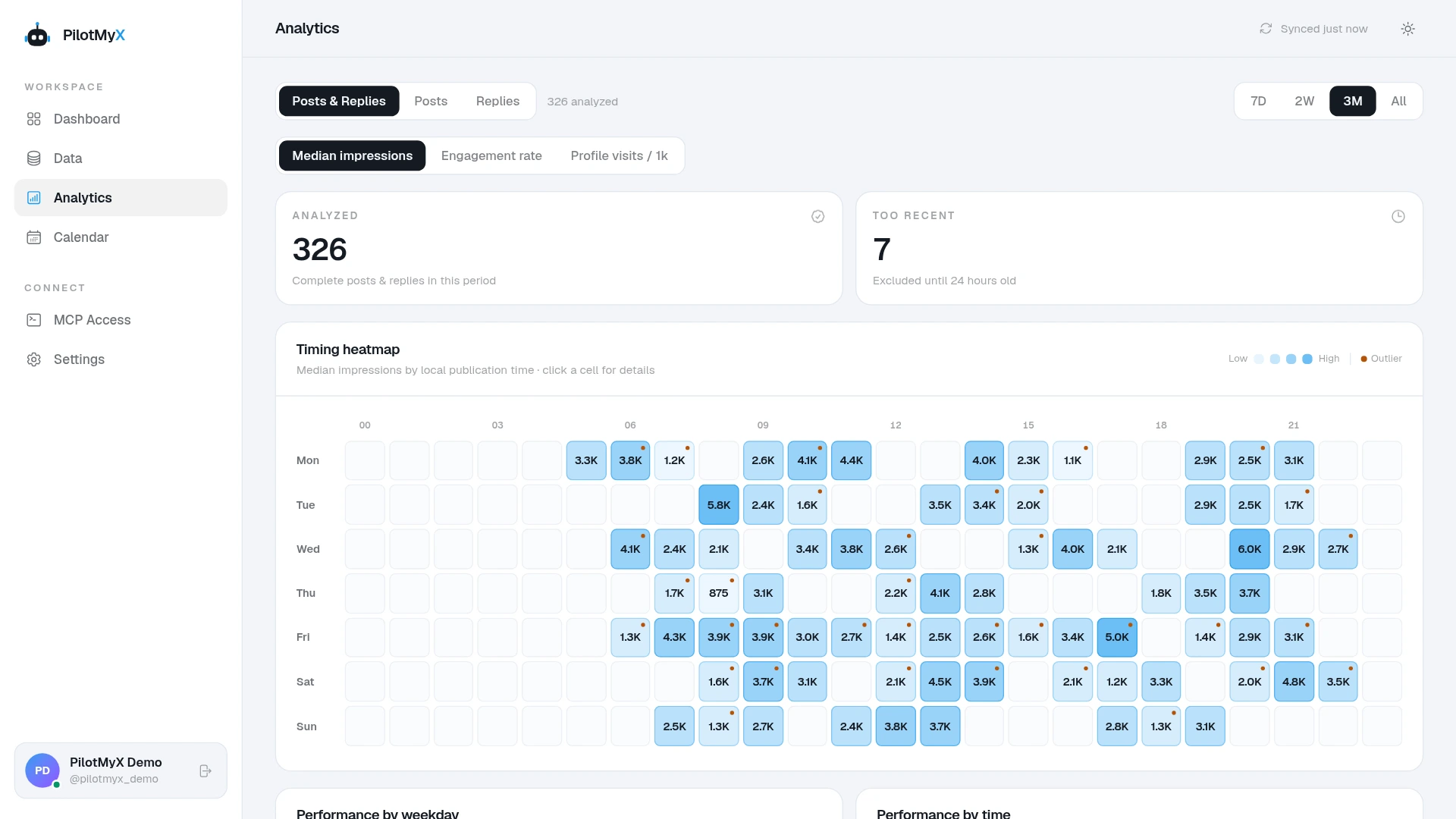
That context can answer narrower questions:
- Was the promoted post an outlier or part of a repeated account pattern?
- Do other posts on the same problem provide useful wording or audience context?
- Is a recent organic change mature enough to compare, or is it still excluded from analysis?
- Did the account publish something else during the campaign that could complicate the interpretation?
PilotMyX does not provide campaign spend, X Ads attribution, or your website conversions. Do not ask it for CPA. Do not describe its post totals as an organic-versus-promoted split. The X Ads measurement guide shows how to keep those sources separate before this routine runs.
Schedule the report, not the campaign decision
The official X Ads MCP exposes account, campaign, promoted-post, analytics, and campaign-management tools to an MCP-capable agent. Its capability list does not include a scheduler. Your agent environment or automation runner must start the daily job.
Configure the trigger around the data, not an arbitrary early hour:
- Choose one timezone and a consistent run time after your website and product data for the previous day are available.
- Give each report one account, one local report date, and one destination so a retry does not create a second "daily" answer.
- Let the runner retry connection failures, but require the report to surface which source failed.
- Keep campaign writes disabled for this task. Use a separate, explicitly approved workflow for any change.
- Store the report and decision log long enough to compare what the agent said with what happened next.
If your agent does not support scheduled jobs, run the same prompt manually or use an external scheduler. Switching the trigger should not change the report contract.
X Ads Manager can export Total, Weekly, or Daily views and includes a campaign history log, according to the Ads Manager guide. Use that history when a metric moved after a budget, bid, status, or targeting change. The report should not guess that the audience caused a change when the campaign settings changed at the same time.
Use this read-only daily report prompt
Replace every bracketed field. The report can run through Claude, Codex, or another agent that has the required authorized data sources.
Create the daily X Ads report for ads account [account ID] in [account timezone]. This is a read-only reporting task.

Report date: [local date]
Campaign scope: [campaign IDs, statuses, or documented selection rule]
Primary business event: [completed signup, activation, purchase, qualified lead, or another defined event]
Attribution method and window: [documented source and rule]
Report destination: [approved location]

Build two separate views:

1. PROVISIONAL snapshot: from local midnight through the current run time. Use it only for delivery, spend, access, tracking, and event-collection health. Label every value provisional. Do not declare a creative, audience, or campaign winner from this view.

2. SETTLED comparison: compare [settled current start] through [settled current exclusive end] with the immediately preceding equal window. If spend is used, end the current window at least three full days before this run. Preserve the source's attribution and processing rules.

Use the official X Ads MCP for the ads account, active entities, campaign settings, promoted posts, delivery, spend, objective results, and available analytics. State the account, entity scope, placement, granularity, exact start and exclusive end timestamps, and retrieval time.

Use PilotMyX for account-side context, cached post and reply data, available metrics, period comparisons, and freshness. State data_as_of and the content scope. Compare posts with posts and replies with replies. Do not refresh PilotMyX unless a separate approved instruction explicitly requests it.

Use [website analytics source] for measured visits and [product or billing source] for the primary business event. Use aggregate data only. Do not retrieve or expose a person's identity.

Return the fixed report sections: run status and source freshness; needs attention; PROVISIONAL snapshot; SETTLED comparison; campaign and post context; one recommendation with evidence and next review time; run log.

Mark the run PARTIAL when a required source is stale, unavailable, or incompatible. Keep missing values missing. Distinguish no delivery from a failed read. Do not carry a previous value into the current window without its original timestamp.

Separate observations, inferences, and hypotheses. Recommend one of: keep collecting, investigate measurement, review creative or audience, review the landing flow, or propose one bounded change for human approval.

Do not change a campaign, ad group, budget, bid, targeting, creative, or status. Do not create, activate, pause, promote, publish, schedule, or spend money.
Read the first few reports against the source dashboards before relying on the routine. Check the account, timezone, campaign list, exclusive end time, source timestamps, attribution rule, and calculation inputs. Fix the contract when a field is ambiguous; do not teach the agent to hide the mismatch.
A good report makes the next check obvious
The report is useful when you can see what changed in a settled comparison, what needs attention now, and what evidence should exist before the next decision. You should not have to reconstruct its math first.
X's campaign dashboard guide ties its results to the campaign objective. Your daily routine has to carry that objective into the report, then connect it to the website or product event that matters to the business.
Start with read-only reporting. Connect PilotMyX for the account-side context and keep X Ads and business outcomes tied to their own sources. After a few runs, you should know whether the report catches missing data and respects its windows. Until then, it has not earned the right to change a campaign.
Use your own account