Stop letting one noisy metric control your ad budget
When to pause or scale X Ads campaigns with AI
A cheap click is not permission to spend more, and a slow day is not proof that a campaign failed. Give your agent a decision contract before it recommends a change.
A budget change needs more than a green number
Your campaign spent money yesterday. The cost per click fell, the dashboard looks healthier, and an AI agent is ready to recommend a larger budget.
That recommendation is premature if the agent has not checked what happened after the click, whether the reporting window has settled, or which limits you approved.
Use three outcomes for every X Ads budget review:
- PAUSE when continued spend breaks a hard business limit, measurement is too broken to judge the campaign safely, or settled results show that the test has reached its preapproved stopping condition.
- HOLD when the data is incomplete, the sample is too thin for the decision you want to make, the campaign is not spending its current budget, or another recent change would make the result hard to interpret.
- SCALE only when settled business results meet the rule you chose before the review, the campaign is constrained by its current budget, and the next increase stays inside an approved ceiling.
There is no universal number of days, conversions, or percentage increase that makes one of those decisions correct. Your economics, objective, attribution window, sales cycle, and risk tolerance set the rule.
Define the decision before the agent sees the dashboard
Budget optimization starts with a written contract. Without one, the agent can always find a metric that makes spending more sound reasonable.
Record these fields before the review:
| Field | What to write | Why it matters |
|---|---|---|
| Business outcome | Completed signup, activated account, purchase, qualified lead, or another finished action | Stops cheap clicks or engagement from replacing the result that pays for the campaign |
| Maximum acceptable cost | The most you can pay for that outcome under the current economics | Gives PAUSE and SCALE a real boundary |
| Test budget | The amount you are prepared to spend before reaching a conclusion | Prevents an open-ended experiment |
| Evidence requirement | The settled window and amount of evidence you need for this specific decision | Keeps a few early events from becoming a trend |
| Allowed action | Read only, propose a change, or apply one exact approved change | Separates analysis from spending permission |
| Change ceiling | The maximum new daily or total budget, in the account currency | Stops a valid recommendation from becoming an unlimited action |
| Next review | Exact timestamp and timezone | Makes the effect of one change inspectable |
| Failure behavior | What happens when X Ads, PilotMyX, website, or product data is missing | Missing data should stop the decision, not look like zero |
X's campaign dates and budget documentation says its default structure puts daily budgets and dates at the ad group level, with an optional campaign spend cap. The X Ads Manager guide also shows that ad groups carry bids, targeting, placements, and delivery controls. Your review must name the exact campaign and ad group instead of saying "increase the campaign budget" without identifying the setting.
Wait for the numbers you use to settle
The current day is useful for detecting a delivery or tracking problem. It is a poor basis for deciding whether a campaign deserves more money.
X's Ads API analytics documentation says most reporting metrics are finalized after 24 hours. Spend is generally final within three days, while billing adjustments can continue later. The same documentation requires explicit entity scope, time range, metric groups, granularity, and placement, and treats the end time as exclusive.
For a budget decision, compare equal completed periods that end far enough in the past for every metric used. If the review includes spend, end the settled window at least three full days before the run. Preserve the conversion source's attribution and processing rules too.
Use live data only for hard safety checks:
- the approved spend cap has been reached;
- delivery started or stopped unexpectedly;
- the destination or conversion collection failed;
- the campaign or ad group status changed;
- the wrong account, post, audience, or date range is active.
Do not call a campaign profitable or unprofitable from a partial day. The X analytics discrepancy guide explains why X clicks, website sessions, and reported conversions can disagree. A missing path between those records is a measurement problem first.
Use PAUSE, HOLD, and SCALE as different decisions
These outcomes should not share one vague score. Each needs its own evidence.
| Outcome | Evidence that can support it | Evidence that is not enough |
|---|---|---|
| PAUSE | Approved spend cap reached; destination or event collection is broken and continued spend would be blind; policy or eligibility risk; settled business cost has crossed the prewritten stop rule | One expensive click, a few hours of weak delivery, or a single post metric |
| HOLD | Incomplete reporting window; unsettled spend; insufficient business events; recent creative, audience, bid, or landing-page change; current budget is not being spent | "The agent needs more data" without naming what data or the next review time |
| SCALE | Settled business outcome meets the prewritten rule; tracking is healthy; campaign is using the current budget; next amount stays under the approved ceiling | Strong engagement, lower CPC, more impressions, or one good day without downstream results |
PAUSE does not have to mean delete. X makes analytics available for paused entities, so you can preserve the record and investigate. HOLD is also a decision, not indecision. It protects the experiment when changing another variable would make the next result less useful.
Diagnose underdelivery before raising the budget
A campaign that spends less than its daily budget is not automatically budget constrained.
X's campaign optimization guide says a campaign can fail to spend its full daily budget when its auction parameters are not competitive. Bid, audience size, targeting, creative, eligibility, dates, and status can all affect delivery.
Ask the agent to check these in order:
- Confirm that the campaign and intended ad group are active for the review period.
- Read the current daily budget, spend cap, bid strategy, dates, placements, targeting scope, and promoted posts.
- Compare actual spend with the existing budget. If the campaign is not approaching that budget, a larger budget may change nothing.
- Check delivery and objective metrics at the campaign, ad group, and promoted-post levels.
- Review the history log for another change inside the comparison window.
- Inspect the destination and primary business event before diagnosing the ad from clicks alone.
The official X Ads MCP reference exposes campaign, ad-group, promoted-post, active-entity, analytics, and update tools. That tool access does not prove which setting caused underdelivery, and it does not grant an agent permission to spend.
Add the account context without mixing the sources
X Ads is the source for delivery, spend, bids, and campaign results. Your website or product is the source for the business action. PilotMyX adds the connected account's post and reply context.
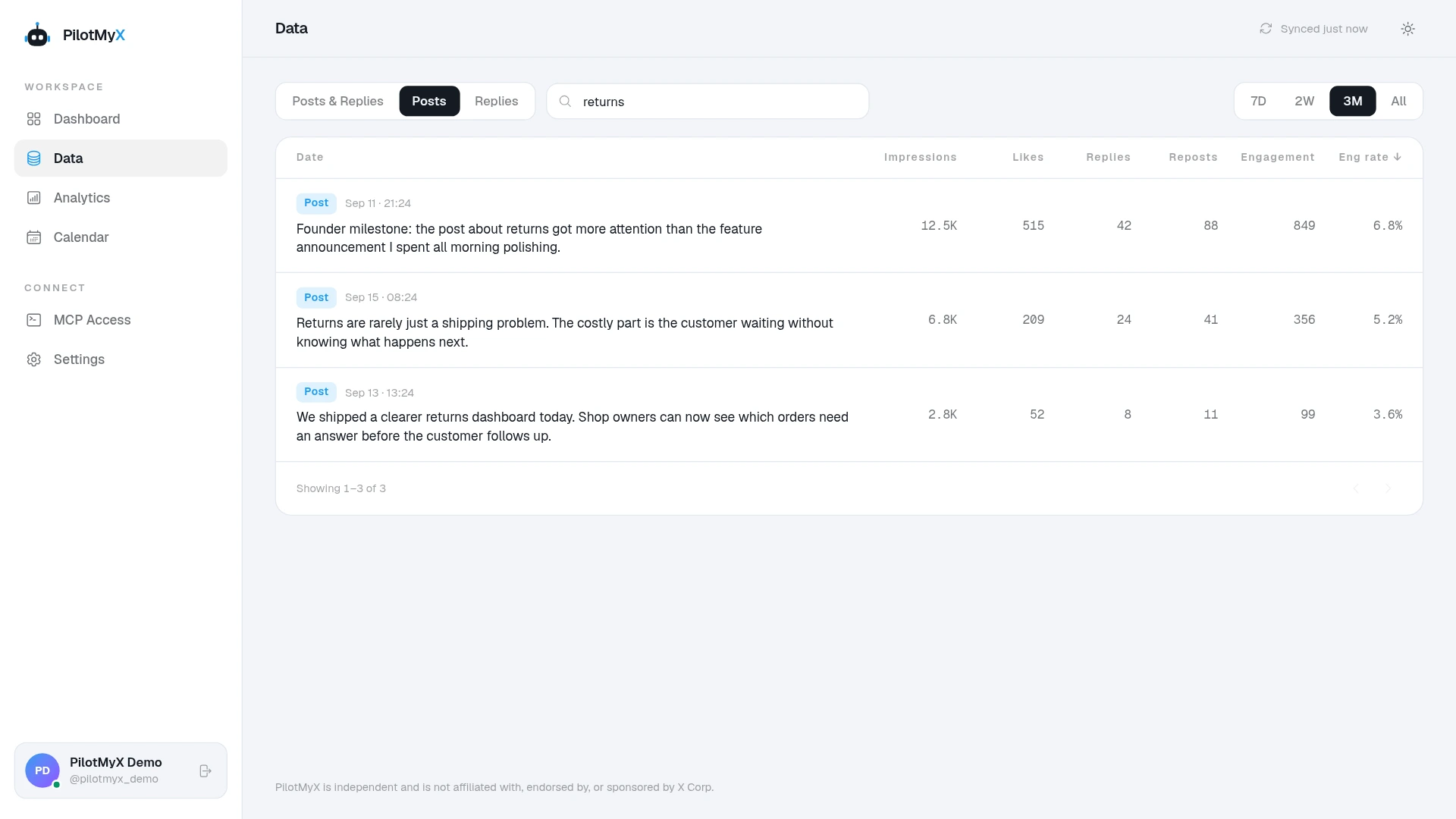
Use that context to ask whether the promoted post still represents the offer, whether a clearer account-side angle exists, and whether the idea was an isolated outlier or part of a repeated pattern. Keep posts and replies distinct when comparing performance.
PilotMyX does not provide X Ads spend, CPA, or website conversions. Its account metrics cannot tell you that a budget increase will be profitable. The measurement guide shows how to keep the post, campaign, website, and product records tied to their own sources.
Let the agent recommend one bounded change
A recommendation should be specific enough to review before anyone changes the campaign.
Require this output:
| Required field | Example shape |
|---|---|
| Decision | PAUSE, HOLD, or SCALE |
| Observation | A fact with source, scope, settled window, and retrieval time |
| Inference | What the fact may mean, with uncertainty stated |
| Proposed action | One campaign or ad-group setting, or no change |
| Before and after | Exact current value and exact proposed value |
| Authority | Who approved the action and the maximum allowed amount |
| Expected signal | The business or delivery measure that should move |
| Next review | Exact time, timezone, and settled period to read |
| Stop condition | The condition that prevents more spend or reverts the proposal |
Change one variable at a time when the goal is to learn from the result. Raising the budget while replacing the creative and changing the audience creates activity, but it weakens the explanation for whatever happens next.
The Ads Manager history log records campaign and ad-group changes. Read that history before the recommendation and verify it after any separately approved action. A successful tool response is not enough if the saved value or status does not match the approval.
Use this read-only budget review prompt
Fill every bracketed field. This prompt produces a recommendation. It does not authorize a campaign change.
Review X Ads budget decisions for ads account [account ID] in [account timezone]. This is a read-only task.

Campaign and ad-group scope: [IDs]
Primary business outcome: [completed action]
Maximum acceptable cost for that outcome: [amount and currency]
Approved test budget and hard spend cap: [amounts and currency]
Settled comparison windows: [current start/end] and [previous start/end]
Minimum evidence required for this decision: [rule chosen for this campaign]
Maximum budget that could be proposed: [amount and currency]
Next review time: [timestamp and timezone]

Use the official X Ads MCP to read the campaign, ad groups, promoted posts, active entities, current settings, history where available, delivery, spend, objective results, and settled analytics. State every source, entity scope, placement, granularity, exact start and exclusive end time, and retrieval time.

Use PilotMyX only for account-side post and reply context, available metrics, comparison with similar account content, and freshness. Keep posts and replies distinguishable. State data_as_of. Do not treat PilotMyX metrics as ad spend, CPA, paid attribution, or website conversions. Do not refresh it unless a separate instruction explicitly authorizes that refresh.

Use [website analytics source] for measured visits and [product or billing source] for the primary business outcome. Keep the attribution rule and processing delay visible.

Return exactly one decision: PAUSE | HOLD | SCALE.

For the decision, provide:
- observations with sources and settled windows;
- inferences and unresolved hypotheses;
- whether the campaign is actually constrained by its current budget;
- one proposed change or an explicit no-change recommendation;
- the exact current and proposed values;
- the approved ceiling, expected signal, next review, and stop condition;
- missing or incompatible data that blocks the decision.

Choose HOLD when the reporting window, spend, attribution, tracking, or evidence is not mature enough for the requested decision. Never substitute clicks, engagement, or PilotMyX account metrics for the primary business outcome.

Do not change any campaign, ad group, budget, bid, targeting, creative, or status. Do not activate, pause, publish, schedule, or spend money. Do not turn this report into a write action without a separate approval containing the exact before and after values.
Run the first reviews against the source dashboards. Check the account, currency, timezone, entity IDs, exclusive end time, attribution rule, current budgets, and calculations. If the agent cannot show where a number came from, that number should not control spend.
Automate the review before the spending decision
Start with the daily X Ads report. Let the routine collect the same evidence, use the same settled windows, and record what it recommended. You can then compare each recommendation with the result observed at the next review.
Only move beyond read-only recommendations after the process has handled missing data, retries, overlapping runs, and stale windows correctly. Even then, keep the action narrow: one account, one entity, one exact setting, one approved ceiling, and one verification after the change.
An AI agent can save you from rebuilding the review every morning. It should not make spending feel effortless. The useful outcome is a budget decision you can inspect before and after it happens.
Use your own account