Fix a published post on X/Twitter
How to edit a tweet or publish a clear correction
A typo and an incorrect offer need different fixes. Check whether your post can be edited, then make the accurate information easy for readers to find.
On this page
Spotted a mistake after posting? Check what needs correcting.
The post is live, and you've just noticed the wrong date or a claim you can't support. Deleting everything feels excessive. Leaving it alone could send readers in the wrong direction.
You can edit an eligible original post or quote on X/Twitter with a qualifying paid subscription, within one hour of publication and up to five times. Some posts cannot be edited, including those sent through a third-party service. X keeps the previous wording visible in the edit history.
For a typo, an available edit may be enough. For a mistake that changes what readers should believe or do, make the correction explicit. If the post exposes private information, prioritize removing the exposure rather than polishing the sentence.
How to edit a tweet after posting
X's Premium editing instructions describe this process:
- Open your post on the same device you used to send it. If you posted on x.com, return to x.com.
- Open the post's menu and select Edit post.
- Make the correction and select Update.
Read the final version as a stranger would. A corrected date in the text is still confusing if the attached image gives a different date. Check the destination of a corrected link too.
X also says that replying to your own post makes the original no longer editable. If you notice the mistake immediately, check editing eligibility before adding a reply.
These rules were checked on October 16, 2026. Your account's available controls and X's current documentation take precedence if the feature changes.
Why can't I edit my tweet?
Check the age of the post, your subscription, the device you used, and the type of post. X's Edit Post help page excludes replies, polls, pinned posts, promoted posts, subscriber posts, posts from X Pro, and posts sent through third-party services. Connected sequences of posts are excluded too.
That last publishing restriction matters if you use a scheduler. Don't assume a post published through PilotMyX will gain a native edit button afterward. Review its text, destination and media while it's still a draft.
An unavailable edit button doesn't mean you must silently replace the post. A visible correction can explain what changed. Whether to keep the original depends on what is wrong with it.
| Problem | Useful response | What the reader needs |
|---|---|---|
| A typo that doesn't change the meaning | Edit if eligible; otherwise consider leaving it | An understandable sentence, not an apology for every spelling mistake |
| A wrong date, price or factual claim | Correct the text if possible and make a material change explicit | The accurate information and which earlier statement it replaces |
| An expired offer or changed product detail | Publish a clearly dated update; review the old post for confusion | Current terms without pretending the old announcement was always current |
| Private information in text or media | Remove the exposure promptly; editing alone is not erasure | No further repetition of the sensitive detail |
These are editorial recommendations, not rules for earning more impressions. If the only problem is a low like count, use the guide to keeping or deleting quiet tweets instead.
Write a correction people can understand on its own
Say what was wrong and give the replacement fact. "Small correction" forces people to reconstruct the problem. "I gave the wrong date" tells them why the update matters.
Here are two fictional examples for a product announcement. They demonstrate wording, not actual product terms or results.
A wrong release date
Correction to my earlier launch post: the public release is October 22, not October 20. The signup page now shows the correct date. Sorry for the confusion.
The date is the correction. There is no need to retell the whole launch story. If you publish a separate post, include enough context, such as the product name and a link to the original, for someone who never saw the announcement.
A misleading plan description
I described exports as unlimited in my earlier post. That was incorrect: unlimited exports are on the paid plan. The free plan has a monthly limit. I've corrected the announcement and the plan description.
Only say you've corrected an announcement if you actually have. If it cannot be edited, say where the accurate terms can be found. Verify the limit before adding a number; an agent should ask for it rather than guess.
A reply can keep context near the original, but readers may encounter the old claim without seeing that reply. For a consequential error, consider a separate correction that makes sense by itself as well. Don't repeat sensitive information to explain its removal.
An edit doesn't hide the old wording
Anyone can inspect earlier versions through the edited label. X says engagement from past versions is retained. Changing the text does not make earlier reactions evidence that people endorsed the corrected wording.
For deletion, X documents a different outcome: the post is removed from X, along with its reposts, but other people's copied text and quotes with their own comments remain. Copies outside X may remain too. Neither editing nor deletion can promise to erase everything someone already saw or saved.
Avoid turning a post people reacted to into an unrelated promotion. A reader should still be able to understand the conversation around it. If you have a genuinely different point to make, write a new post.
Review the next draft, not an imaginary before-and-after test
In PilotMyX, read the post's wording beside its recorded results. An edited publication is treated as one logical item, combining metrics already captured from its observed versions. PilotMyX doesn't reconstruct missing earlier versions or their metrics.
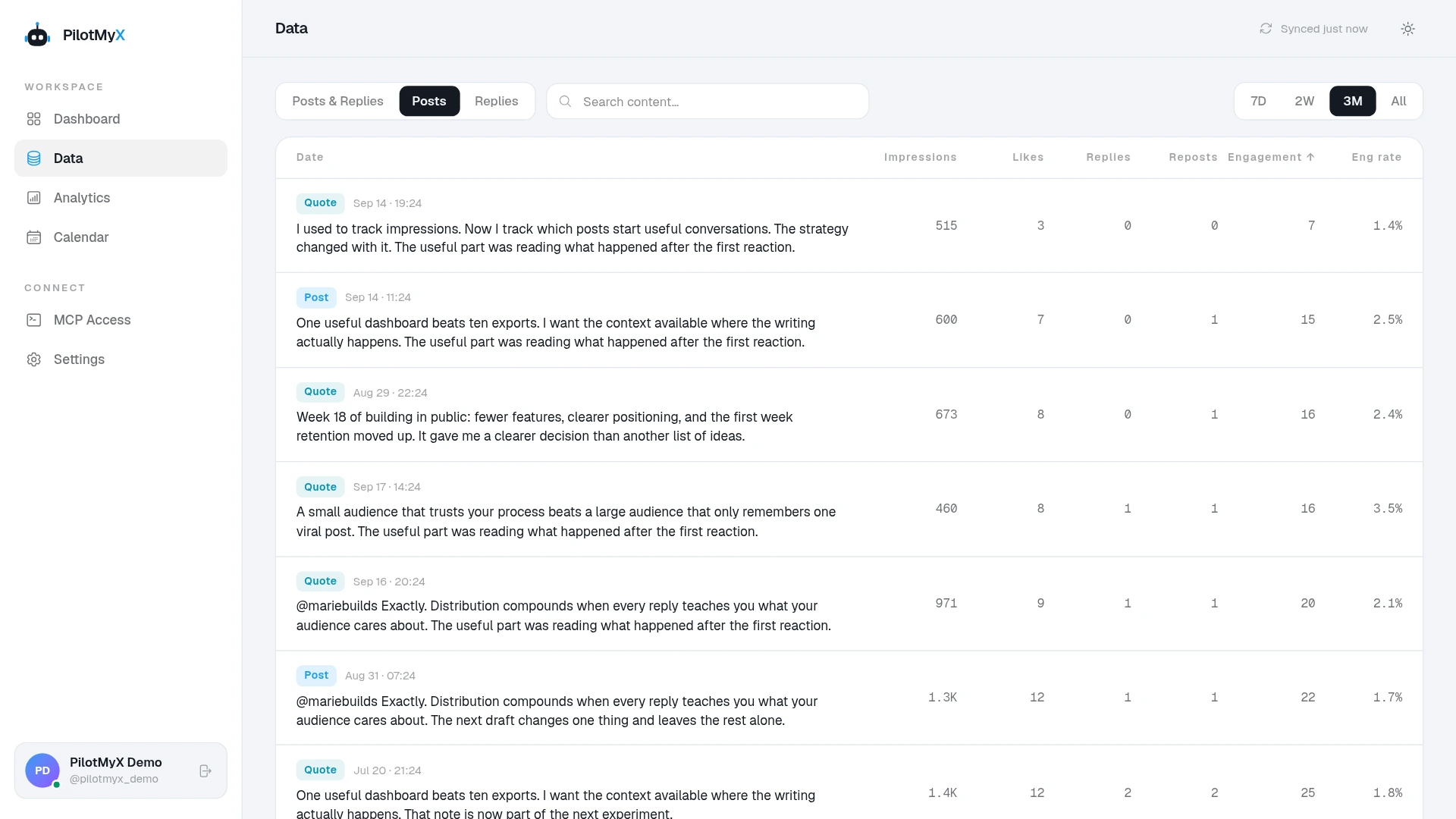
Those totals are not a controlled comparison of two openings. The later wording appeared at a different time, after the post had already accumulated activity. A rise in impressions after an edit doesn't establish that the edit caused it. Use the post review timing guide before drawing conclusions from a small early sample.
Keep a brief private note of the correction and the check it suggests for your next draft. A wrong offer description calls for checking the actual plan terms. An old screenshot calls for reviewing the media, not merely proofreading the caption.
An agent connected to PilotMyX can help review the text and prepare a correction. It cannot use a draft update to rewrite a post already published on X. Here's a read-only prompt:
Help me correct a Twitter post without inventing facts.

Post URL: [URL]
What is wrong: [specific error]
Verified replacement information: [facts and source]
What I have already corrected: [actions or none]

Read the post from my PilotMyX data if it is available. State
the content and metric freshness; ask me for the text if missing.
Don't trigger a refresh or claim to recover an earlier version.

Explain whether this is a spelling issue or a change of meaning.
Draft a correction that identifies the old error and states the
verified replacement. Ask about missing facts. Don't say I fixed
something unless I confirmed that action. Don't repeat private data.

Keep this read-only: don't create or update drafts, schedule,
publish, or delete anything. Don't claim to edit a published post.
If your agent isn't connected, start with the PilotMyX setup guide. For future posts, use the draft and scheduling workflow to review the exact text and media before approving publication.
A useful correction leaves the reader knowing what is true now. Fix that first; the performance review can wait.
Use your own account