Find the Twitter post you remember
How to find your old tweets without endless scrolling
Find the announcement or reply you remember writing months ago. Search by account, words, and dates, with an archive fallback when the post stays missing.
On this page
Search your account before scrolling through it
You want to link to an announcement you made months ago. You remember the topic and roughly when you posted it, but scrolling your Twitter profile keeps turning up everything except that post.
Start with X's advanced search on the web: your account, one distinctive word, and a date range. You don't need to remember the entire sentence.
- Sign in to X.com and run a search from the search bar.
- Open Advanced search under Search filters, or through the search results' More options menu.
- Limit the author to your account. Add a word you remember from the post.
- Set a date range if you have a rough idea of when you wrote it, then search.
The form can also match an exact phrase, exclude words, or narrow results to posts mentioning or replying to a particular account. Those options are documented in X's advanced-search guide.
For example, imagine you're looking for a product announcement. You remember writing “export,” but not whether you called it a launch, a release, or an update. Start with your account and export. Adding all four words at once could exclude the sentence you actually wrote.
Use the fragment you remember, not the sentence you wish you'd written
Search gets harder when your memory supplies today's wording for an old idea. You might now call a feature “reports” even though the announcement called it a “weekly summary.”
These fictional examples show how to loosen a search without going back to scrolling:
| What you remember | First search | If it doesn't show up |
|---|---|---|
| A product update | Your account and export | Try the old feature name instead |
| A sentence with unusual wording | Your account and the exact phrase | Remove the phrase constraint and keep its most distinctive word |
| A launch around a particular month | Your account, a product word, and that month | Widen the dates on both sides |
| Something you wrote to another person | Your account and the reply recipient | Remove the topic word if you may have used different wording |
Widen the dates before changing the words. If a match appears, you'll know your memory of the timing was the problem.
Once results appear, consider Latest rather than Top if you're looking for something near the end of your chosen period. X also offers Photos and Videos tabs when a media post is easier to recognize visually. These are options in X's search documentation, not a guarantee that every matching post will appear.
An empty result isn't proof that you deleted the post. Check your constraints first. If you only remember what was written inside a screenshot, try words from the accompanying post; don't assume the image's text is searchable.
If you already have the exact link but the post is missing from results, use the Twitter search troubleshooting guide to separate access, query filters, and the search result itself.
Use your X archive when the search isn't enough
For a broader copy of your account history, request your archive:
- In X settings, open Your account, then Download an archive of your data.
- Complete the password and identity checks X requests.
- Select Request data.
- When X notifies you that it's ready, return to download the ZIP file.
X says preparation can take a few days. Its archive instructions describe a snapshot of account information and posts, available in HTML and JSON. If someone is waiting for your link now, this route will probably be too slow.
Extract the download locally and inspect the post history. Keep the archive private: it can contain Direct Messages and other personal information as well as public posts. Don't upload the whole ZIP to an AI tool just to locate one public announcement.
Find past posts in PilotMyX
If you're already using PilotMyX, you can search your imported content in Data and inspect the matching posts alongside their available metrics. That helps when the question is both “Where is that post?” and “Is it worth revisiting?”
- Open Data in your workspace.
- Choose Posts, Replies, or Posts & Replies. Leave both selected if you aren't sure where you wrote it.
- Select All to remove the period filter.
- Enter a distinctive word in Search content… and inspect the results.
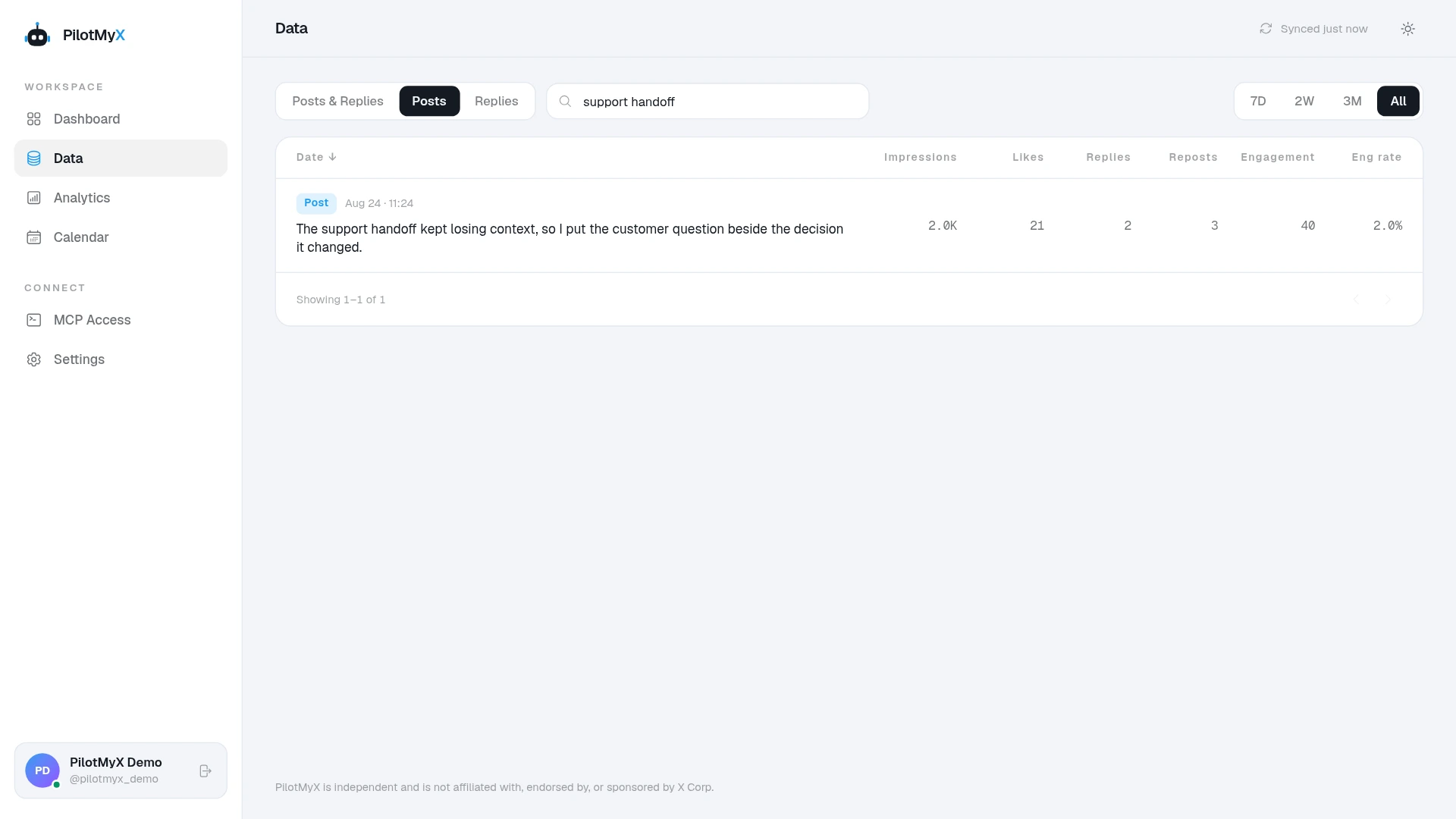
“All” means the history available in PilotMyX, not a promise that your entire Twitter archive has been imported. The search looks at post text; you don't need to paste X's search syntax into it.
You can also ask your connected AI agent to do the retrieval. Give it a topic and an approximate period, and ask for the actual matching text before asking it to write anything new:
Help me find an old Twitter post about [topic]. I think I wrote it around [month or date range], and I remember using [word or phrase].

Search only the history already available in PilotMyX. Include my posts and replies, and check all result pages needed for this search. If there are no matches, try a broader date range or fewer words and tell me what you changed.

For each likely match, show the original text, publication date, and X link when available. Tell me which details match what I remember. Don't invent missing text or treat missing results as proof that I never wrote it.

Recommend the closest match. If the available history doesn't cover the period, say so. Don't create or publish anything.
The agent setup guide covers connecting PilotMyX to an agent you already use, including Claude or Codex.
Save the result so you don't have to find it again
Once you've found the post, save its link with a short note about why you need it: “first announcement of exports” is more useful later than a bare URL.
Before quoting it in a new post, reread any factual claims. A launch date remains useful evidence; a promise about current pricing or product behavior may need updating. Reuse what still holds up, rather than copying the whole announcement because it took so long to find.
If your search turns up several useful candidates, the guide to choosing what to post from your own data helps you decide which idea deserves a follow-up. PilotMyX gives your agent the past posts and their results to work from, so the next draft can start with something you actually said.
Use your own account